|
Feature |
Broadcast List |
WhatsApp Group |
|
Privacy |
Recipients cannot see other people in the list. |
Everyone can see the contact details of all members. |
|
Interaction |
Recipients reply privately only to you. |
Members can chat and discuss with everyone publicly. |
|
Requirement |
Recipients must save your number to receive messages. |
No need to save numbers; admins add members directly. |
|
Use Case |
Best for announcements, offers, and personalized alerts. |
Ideal for discussions, feedback loops, and peer support. |
|
Admin Control |
You control the list; no admin roles exist. |
Admins can manage settings and remove other members. |
How KwikAds helped Shop Unrush boost ROAS by 37% in 3 months
How KwikAds helped Shop Unrush boost ROAS by 37% in 3 months
How KwikAds helped Shop Unrush boost ROAS by 37% in 3 months
How KwikAds helped Shop Unrush boost ROAS by 37% in 3 months
Kwik Engage
How to Create a WhatsApp Broadcast List For Marketing [A Step-by-Step Guide]
 12 Mar 2026
 12 Min Read
![How to Create a WhatsApp Broadcast List For Marketing [A Step-by-Step Guide]](https://panel.gokwik.co/storage/app/public/images/how_to_create_a_whatsapp_broadcast_list_for_marketing_1770214097.png)
Parousia leads product marketing strategies at GoKwik, and she is an expert in driving e-commerce optimisation, conversion growth, and innovative GTM strategies. She crafts compelling messaging and creates content pertaining to D2C commerce.
Read this blog on your favourite platform
Imagine sending a marketing campaign that virtually guarantees a view. While email open rates struggle to hit 20% today, WhatsApp consistently delivers a staggering 98% open rate. For any growing brand or business, this channel is a direct line to your customer’s pocket.
For small businesses, a WhatsApp Broadcast List is the perfect entry point. It allows you to send mass updates that land as private, personal chats rather than annoying group notifications. It is a great way to announce flash sales or product drops to your loyal customers without needing complex software upfront.
However, this free feature has strict limits that can eventually stunt your communication efforts. In this guide, we will show you how to create a broadcast list on WhatsApp step-by-step. We will also explain when to graduate to automated tools to bypass these limits and truly scale your revenue.

What is a WhatsApp Broadcast List? (And Why Use It?)
Before discussing how to use a WhatsApp Broadcast List, let’s understand the tool first.
A WhatsApp Broadcast List allows you to send a single message to multiple contacts at once, where it appears as a private chat to them (unlike a Group). This distinction is vital for maintaining a professional image while ensuring your WhatsApp messages actually get read by the recipient.
- Privacy First: When you send a message via a broadcast list, the receiver sees it as a direct message from you. They cannot see who else received it or reply to the entire group. This maintains customer privacy and prevents data leakage.
- One-to-Many: You type your message in the broadcast window and hit send. WhatsApp distributes it to every member of the list individually. The WhatsApp application distributes it to every member of the list individually. This saves you hours of manual copy-pasting work while keeping the interaction personal.
- Multiple Campaigns: Perfect for announcements, flash sales, and updates for small client lists. Small business owners use it to share new catalog updates or festive offers. It is an excellent way to keep your most loyal customers engaged without spamming them in a public forum.
How to Create a Broadcast List on WhatsApp (Step-by-Step)
Ready to launch your first campaign? The process differs slightly depending on your device. Here is the exact walkthrough for both platforms to create a broadcast list in WhatsApp effectively.
For Android Users
If you are on an Android device, the setup is straightforward and takes less than a minute.
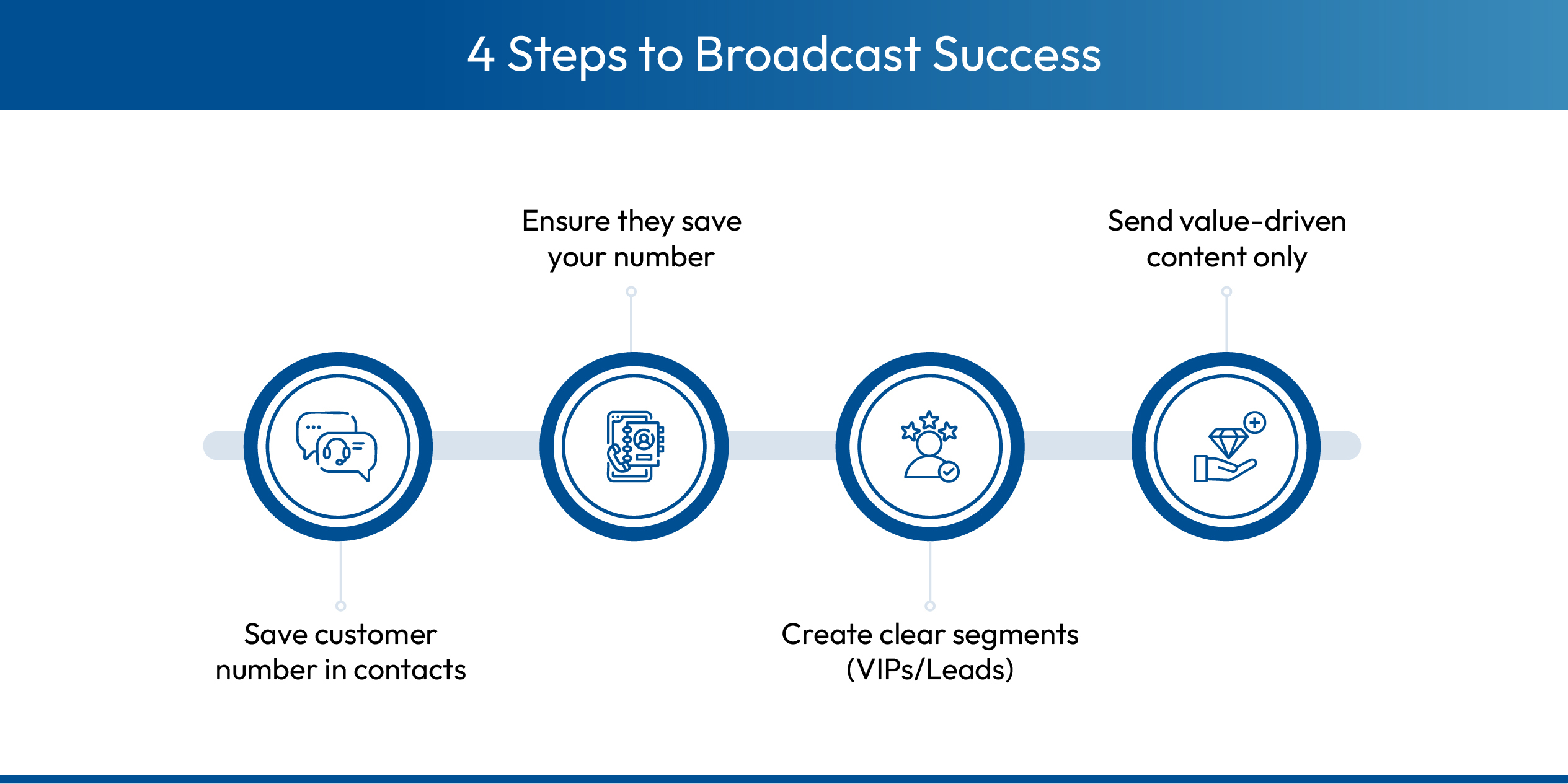
- Open WhatsApp and tap the three dots: Launch the app on your device. From the main chats screen, look for the three vertical dots in the top right corner. This menu houses your core account settings and tools.
- Select ‘New Broadcast’: Tap on the option labelled ‘New broadcast’ near the top of the list. This will open your contact list interface specifically for selecting broadcast recipients.
- Search for or select contacts you want to add: Scroll through your address book or use the search bar to find your desired contacts. You can select up to 256 people per list. Ensure these people have your number saved.
- Tap the checkmark to create a broadcast list in WhatsApp: Once you have selected your audience, tap the green checkmark button. Your list is now ready and will appear in your Chats tab.
For iPhone (iOS) Users
The interface on Apple devices places the controls in a slightly different location.
- Open WhatsApp and tap ‘Broadcast Lists’ at the top left: On your main chat screen, look for the blue text link at the corner of the chats screen (top left). This takes you to the broadcast lists screen management area.
- Tap ‘New List’ at the bottom: You will see a button at the bottom of the broadcast lists screen (or simply at the bottom of the broadcast lists) to initiate the creation process. Tap it to open your contacts selection screen.
- Select the contacts to add: Tap on the names of the customers you wish to include. You can search for specific people or scroll to add them manually to the queue.
- Tap ‘Create’ to finalize: Hit the create button in the top right corner. The app will generate your list and open a new chat window where you can start typing immediately.
Once created, the WhatsApp Broadcast List sits in your chat tab like a regular chat. Simply open it, type your message, and hit send. This covers how to send broadcast messages in WhatsApp efficiently for small batches.
How to Manage Your WhatsApp Broadcast Lists?
If you are still starting out, here is how to see the broadcast list in WhatsApp and manage it better. Proper management ensures you don't annoy customers or lose track of your segments.
- How to search the broadcast list in WhatsApp: Simply type the list name in your main chat search bar to find it instantly among your conversations. Giving your lists unique names helps you find them quickly without scrolling through hundreds of individual chats.
- Edit Recipients: Open the broadcast list info to add or remove customers as your database evolves. Regular cleaning is essential. Remove inactive customers or those who asked to opt out to maintain a healthy engagement rate and respect user privacy.
- Rename for Clarity: Give each list a specific name, like ‘VIP Customers’, to avoid confusion during urgent campaigns. Generic names like ‘Broadcast List 4’ will confuse you later. Descriptive names help you send the right offer to the right audience.
- Pin for Access: Long-press your most-used WhatsApp Broadcast List and pin it to the top so you never lose track of it. This keeps your most important revenue-generating channel accessible instantly every time you open the app.
- Verify Delivery: Check ‘Message Info’ on sent texts to get delivery confirmation and see if recipients are actually reading your updates. If you see two grey ticks turn to blue, you know it worked. If messages remain on a single grey tick forever, the chances of your message being seen are zero because that user likely does not have your number saved.
Broadcast List vs. WhatsApp Group: Which is Better?
Many business owners confuse these two features, but they serve very different purposes. A WhatsApp Broadcast List is a marketing tool, while a Group is a community tool. The core difference lies in privacy and the direction of communication.
Using a group for marketing often backfires because people dislike their phone numbers being exposed to strangers. The benefits of a broadcast list in WhatsApp are useful for sales because it feels personal and avoids ‘spammy’ group notifications where members start arguing or leaving.
Why Smart Brands Move from Lists to API (The Kwik Engage Way)
If you have more than 500 customers, standard lists are a bottleneck. You need WhatsApp automation, not manual labor. This is where the WhatsApp Business API (WABA) and Kwik Engage come in to replace the manual struggle of creating a broadcast list in WhatsApp.
1. Unlimited Reach (No 256 Limit)
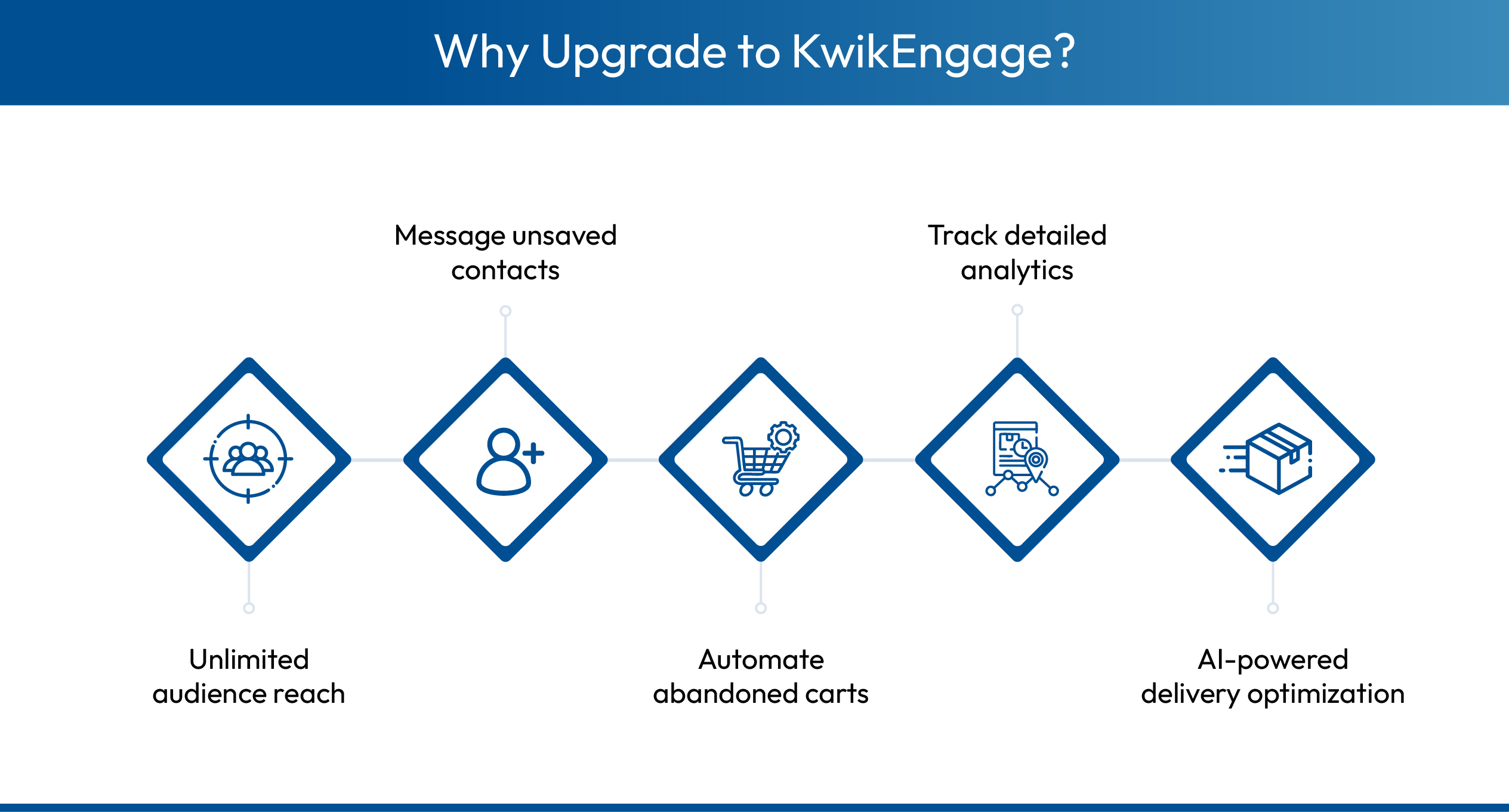
Forget the WhatsApp business broadcast list limit. With Kwik Engage, you can send messages to 100,000+ users in a single click, categorized by tiers. You no longer need to manage fifty different lists on your phone. You have one unified customer database that scales infinitely as your business grows. This allows for massive campaigns during peak seasons like Diwali or Black Friday.
2. Deliver to Unsaved Contacts
Unlike standard broadcasts, API messages get delivered even if the user hasn’t saved your number (if they opted in). This instantly doubles your reach. This solves the primary failure point of the manual app. Your marketing message lands in their inbox simply because they engaged with your brand, not because they remembered to save your contact card.
3. Smart Automation & Analytics
You can’t track open rates on a normal list. Kwik Engage provides deep analytics and lets you automate flows (like Abandoned Carts) that run while you sleep. You can see exactly who clicked your link and who purchased it. Plus, our AI Smart Retry feature automatically reroutes failed messages at optimal times to ensure you reach a delivery rate of 80-90% consistently.

Elevate Your Broadcast Strategy With Kwik Engage
Manual lists are great for starting, but they lack the power needed for serious growth. Kwik Engage replaces these manual limitations with a robust marketing platform designed to handle high-volume campaigns effortlessly without risking your number. We provide the infrastructure that turns a simple chat app into a revenue engine.
- Unlimited Recipient Cap: Bypass the 256-contact limit and send messages to thousands of users instantly in a single click. Whether you have five hundred or five million customers, the process is the same. You segment your audience and hit send without worrying about list capacity.
- Granular Analytics Dashboard: Track delivery, open, and click-through rates in real-time, unlike the basic ‘Message Info’ on personal WhatsApp. You gain insights into which campaigns perform best. This data helps you refine your copy and offers for better conversion in the future.
- Campaign Scheduler: Plan and schedule your broadcast campaigns for specific dates and times instead of sending them manually at the moment. You can plan your entire month's marketing calendar in one sitting. Kwik Engage ensures your WhatsApp Broadcast List messages go out exactly when your customers are most active.
- Dynamic Personalization: Automatically insert customer names and details into every message using variables, ensuring high relevance at scale. Instead of a generic ‘Hi there,’ every customer receives a ‘Hi [Name]’ message. This small change significantly increases engagement and trust.
- Template Management: Create, submit, and manage Meta-approved message templates directly from a single unified dashboard. We streamline the approval process so your marketing campaigns are never delayed. You can categorize templates correctly to ensure compliance with Meta's policies.
Ready to Scale Beyond 256 Contacts?
Knowing how to create a broadcast list on WhatsApp is a great skill for day one. But day one doesn’t last forever. As your order volume grows, manual lists will slow you down. Managing dozens of lists and checking individual message statuses is not a scalable strategy for a serious business.
Don't let the WhatsApp business broadcast list limit your revenue. Upgrade to Kwik Engage to automate your broadcasts, reach unsaved numbers, and turn WhatsApp into your #1 revenue channel. Your customers are already there waiting to hear from you. Give them the professional experience they deserve.
Book a 1:1 consultation with our WhatsApp experts or install the Shopify app and get started for free.
Frequently Asked Questions

AUTHOR
Parousia Khan
Senior Product Marketing Manager @GoKwik

Explore Related Blogs
Kwik Engage
How to Run PPC for E-Commerce? Campaigns, Metrics and Conversion Strategy
13-May-202613 Min Read
Kwik Engage
Best Payment Gateways in India 2026: Top 11 Options Compared
13-May-202615 Min Read
Kwik Engage
What is a Payment Gateway? A Complete Guide for E-Commerce Businesses
05-May-202610 Min Read