How KwikAds helped Shop Unrush boost ROAS by 37% in 3 months
How KwikAds helped Shop Unrush boost ROAS by 37% in 3 months
How KwikAds helped Shop Unrush boost ROAS by 37% in 3 months
How KwikAds helped Shop Unrush boost ROAS by 37% in 3 months
Kwik Engage
How To Send Bulk WhatsApp Messages Without Getting Banned In 2026?
 30 Mar 2026
 10 Min Read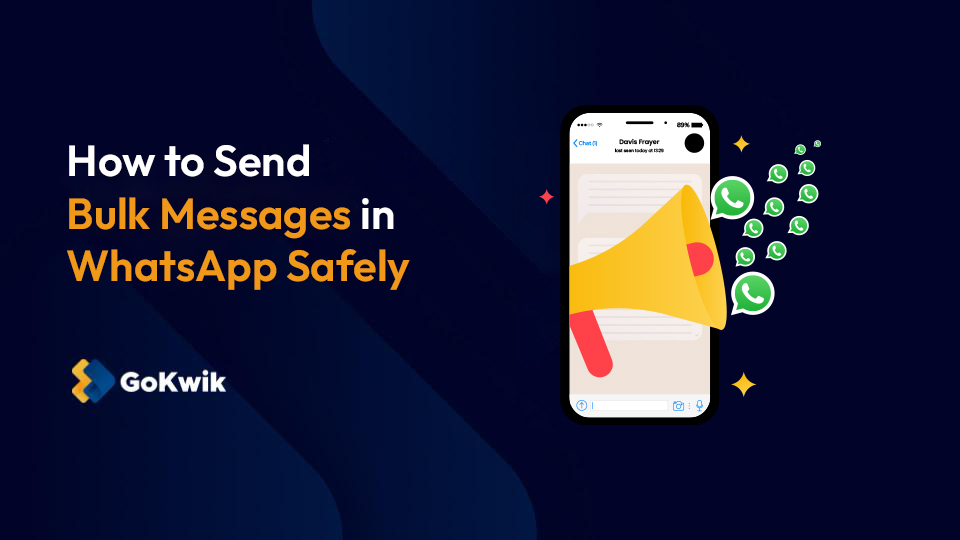
Vardhan leads product and growth initiatives at GoKwik, driving D2C e-commerce innovations, conversion optimization, and scalable growth programs for products. An ISB alumnus based in Bengaluru, he brings expertise from Unacademy, Ola, and Mahindra in building high-impact product strategies.
Read this blog on your favourite platform
In the early days of WhatsApp marketing, bulk messaging was an unknown domain. But as we step into 2026, the ecosystem has matured. Meta’s AI detection for spam is sharper, and user reporting is easier than ever before for brands.
Brands often struggle with the delicate balance between maximum reach and account safety. If you do not know how to send bulk messages in WhatsApp correctly, you risk losing your number. High block rates and non-compliance can instantly shut down your revenue channel.
This guide is your safe playbook for navigating these strict new regulations. We will cover the essential tools and compliance strategies required to scale your WhatsApp messaging broadcasts. You will learn to drive growth effectively without fearing an immediate account ban.

The ‘Grey’ vs. ‘Green’ route: Why you get banned
Before we explore how to send WhatsApp bulk messages safely, you must understand why bans happen. WhatsApp generally bans numbers for two main reasons: bulk WhatsApp usage and poor compliance standards that ruin the customer experience.
Let’s cover these reasons further:
- Using Unauthorized Software: Tools that mimic a human on WhatsApp Web or the WhatsApp business app are dangerous. A WhatsApp bulk sender script might promise results, but these tools violate terms. They often lead to a ban once monthly active users report them.
- High Block Rates: Sending irrelevant content to people without explicit consent ruins customer service. If too many people block you, your quality score drops. This triggers a ban regardless of your method. Even a WhatsApp group strategy can fail if users report spam.
The only safe solution: WhatsApp Business API (WABA)
To send bulk messages on WhatsApp Business legitimately, you must use the WhatsApp Business API. Unlike the free app on your phone, the API is built for volume. It allows you to send thousands of messages instantly to your target audience.
This is the only compliant answer to your question ‘how to send bulk msg in WhatsApp’ at scale. It requires strict adherence to rules but offers a powerful solution for customer engagement. Using this official route ensures your WhatsApp business account keeps working.
Key Takeaway: If a tool asks you to scan a QR code to link your personal WhatsApp for bulk sending, run away. That is the fastest way to get banned in 2026.
Also read:- Kwik Engage vs Bitespeed: WhatsApp Commerce Tool for Scaling D2C Brand
Also read:- Kwik Engage vs Bitespeed: WhatsApp Commerce Tool for Scaling D2C Brand
How to send bulk messages on WhatsApp Business: The 2026 playbook
Sending high-ROI WhatsApp messages safely requires a seamless combination of robust software with a well-rounded strategy. Here is the step-by-step process of how to send bulk msg in WhatsApp correctly to avoid bans and drive revenue.
Step 1: Choose the right WhatsApp Business bulk message software
You cannot access the API directly or use the console easily without technical skills. You need a Business Solution Provider or an eCommerce enabler like GoKwik for seamless API integration.
Using a WhatsApp marketing tool like Kwik Engage simplifies how to send bulk messages in WhatsApp securely. It ensures your infrastructure is compatible with advanced features, helping you manage contact management and compliance effortlessly without technical headaches.
Here is how Kwik Engage helps:
- Green Tick Verification: We help you apply for the coveted Green Tick. This establishes trust instantly with potential customers and distinguishes you from spam accounts. It is a vital step for any small business looking to scale WhatsApp integration securely and build real trust.
- Smart Rate Limiting: The system automatically throttles messages. This ensures you do not trigger spam filters. It effectively manages the number of messages per second to keep your WhatsApp API access secure during peak traffic periods and prevent technical compliance issues.
Also Read: Decoding how whatsapp business api pricing works
Step 2: Master the ‘Opt-in’ (The Kwik Pass advantage)
The number one reason for bans is messaging people who did not ask to hear from you. You need contact lists opt-ins. This is critical for maintaining healthy customer relationships and ensuring your WhatsApp campaigns perform well over time.
Using Kwik Pass, you can identify anonymous visitors on your site. You can gather opt-ins seamlessly during the login or checkout process. This effectively solves how to send bulk messages in WhatsApp to high-intent shoppers rather than random leads, fixing customer data management issues.
Step 3: Template approval & categorization
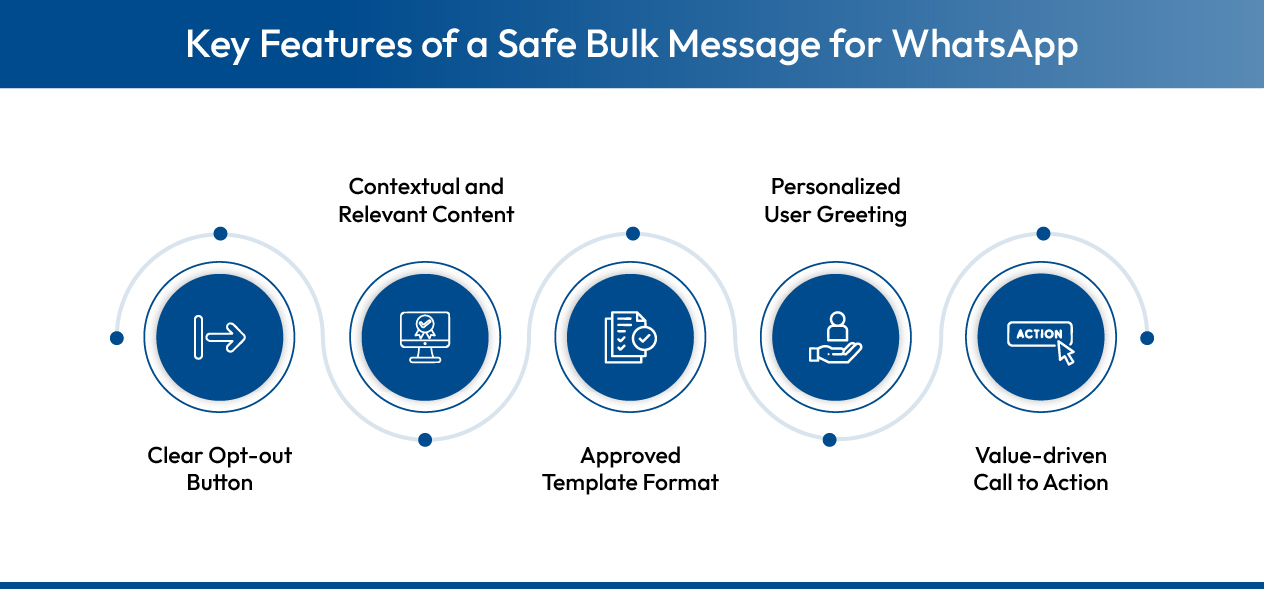
You cannot just type and send WhatsApp messages freely like on other social media platforms. Every WhatsApp template must be pre-approved by Meta. Understanding how to send bulk msg in WhatsApp compliant templates is crucial. As of July 2025, templates have been strictly categorized.
- Marketing: These include promotional messages and WhatsApp ads using rich content. They drive sales and awareness effectively across your marketing channels, boosting revenue and user engagement. This category often has the highest WhatsApp bulk message cost.
- Utility: These cover transactional messages and order updates. They provide users with essential information about their actions and improve overall customer support by keeping them informed. These are vital for day-to-day operations.
- Authentication: These are One-Time Passwords or OTPs. They verify user identity securely. This category is vital for service messages and secure API access for user logins. This ensures security for businesses of all sizes.
You must remember that even approved templates fail if delivery rates drop. Kwik Engage’s AI automatically reroutes failed messages at optimal times. This intelligence ensures you maintain a consistent eighty to ninety percent delivery-rate for your critical campaigns.
Best practices to avoid bans in 2026
To keep using WhatsApp Business to send bulk messages, follow these rules. These best practices on how to send bulk msg in WhatsApp ensure longevity for your account and maintain high open rates for campaigns.
- Monitor Your Quality Rating: Check your health score within your dashboard daily. A drop from Green to Yellow indicates trouble. Pause your marketing campaigns immediately. Investigate user feedback or quality issues with bulk messages before you resume effective communication with your audience.
- Respect the Tier Limits: Meta assigns messaging limits based on your reputation. Do not try to exceed the number of people allowed in your tier. Gradual scaling is key. WhatsApp API access tiers increase automatically as you maintain high quality and trust over time.
- Provide an Easy Opt-Out: Every marketing message must include a way that allows users to stop receiving them. A simple ‘Stop’ button works best. Respecting this choice improves customer communication and prevents users from reporting your messages. This is crucial for the longevity of the marketing channels and enhances brand trust.
Why top brands use Kwik Engage for bulk messaging
Leading brands choose Kwik Engage because we simplify how to send bulk msg in WhatsApp. We offer advanced features that general WhatsApp business bulk message software lacks. Our platform is designed to maximize customer experience while minimizing risk for brands.
We seamlessly integrate with your e-commerce store to leverage real-time data. This allows for smarter bulk WhatsApp messaging that drives revenue. You get tools that enhance customer engagement and protect your business from common compliance pitfalls in the industry.
- Smart Segmentation: We help you send relevant content to your target audience. You can segment the prospective users based on different types of message preferences to boost open rates and significantly reduce block rates. It ensures your WhatsApp marketing campaigns reach the right people at the right time.
- RTO Reduction: Our system validates orders via WhatsApp automation. It filters out high-risk orders before you ship, saving money and improving profitability. We use customer data management to predict and prevent ‘Return-to-Origin’ losses.
- Unified Inbox: Manage all customer support queries in one place. Your team works efficiently within the customer service window. No query goes unanswered. This streamlines business communication and ensures every customer feels heard and valued instantly by your support team.
- AI Smart Retry: Message delivery failures directly impact your revenue. Our AI engine automatically detects failed attempts and reroutes them through backup channels or optimized time slots. This ensures your critical alerts and offers reach the customer, maximizing the ROI of every campaign.

WhatsApp messaging checklist for 2026
Before launching your next campaign, verify these points. This checklist ensures you know how to send bulk msg in WhatsApp correctly and maintain a healthy WhatsApp business account long term.
- Use the Official WhatsApp Business API (via Kwik Engage)
- Secure explicit Opt-ins (via Kwik Pass)
- Pre-approve Templates with correct categorization
- Clean your bulk WhatsApp list regularly to remove inactive numbers
- Monitor your Quality Score daily
- Include a clear 'Stop' or Opt-out button in every message
- Check your current daily messaging tier limit before broadcasting
- Verify all dynamic variables ({{1}}, {{2}}) are mapped correctly
- Segment your audience to ensure relevance (avoid blanket blasting)
Ready to scale your WhatsApp revenue?
Learning how to send bulk msg in WhatsApp is the first step. Implementing it with the right partner is the second. WhatsApp marketing campaigns can drive massive growth when executed safely. You need a reliable strategy for success in 2026.
Do not let fear of bans hold you back. With Kwik Engage, you get a secure environment that simplifies how to send bulk msg in WhatsApp. We handle the technical WhatsApp integration complexities. You focus on crafting compelling offers.
Start your journey today. Experience the power of bulk messages on WhatsApp business without the risk. Your customers are waiting on their phones, reach them safely.
Transform your business communication into a profit center with Kwik Engage starting right now. Book a demo today!
What is the difference between WhatsApp Broadcast Lists and bulk messaging via the API?
Broadcast lists in the small business app are limited to 256 contacts, and each contact must have your number saved. WhatsApp API bulk messaging has no such contact limit. It does not require users to save your number. It allows for detailed analytics and automation, which is better for growing businesses.
What are message templates and why are they required?
Templates are pre-written message formats that Meta must approve. They prevent spam by ensuring content falls into valid categories. You need them to initiate conversations with users who have not messaged you in the last 24 hours. This significantly affects the price of WhatsApp bulk messages and your delivery speed.
How many messages can I send without getting banned?
With the API, your limit depends on your tier. You start with 1,000 unique customers per day. This scales to 10,000, then 100,000, and unlimited as your quality rating stays high. WhatsApp Business bulk message volume grows with your reputation and your adherence to the messaging guidelines.
Can I include images or videos in bulk messages?
Yes, you can use media templates. Including images, videos, or documents makes your bulk messages more engaging. However, these media templates cost slightly more than text-only templates. Always check the current WhatsApp bulk message cost card to manage your budget effectively and maximize your returns.

AUTHOR
Vardhan Jain
Director of Product Program @ GoKwik