How KwikAds helped Shop Unrush boost ROAS by 37% in 3 months
How KwikAds helped Shop Unrush boost ROAS by 37% in 3 months
How KwikAds helped Shop Unrush boost ROAS by 37% in 3 months
How KwikAds helped Shop Unrush boost ROAS by 37% in 3 months
Kwik Checkout
eCommerce Checkout: Decoding The X In UX
 25 Mar 2026
 09 Min Read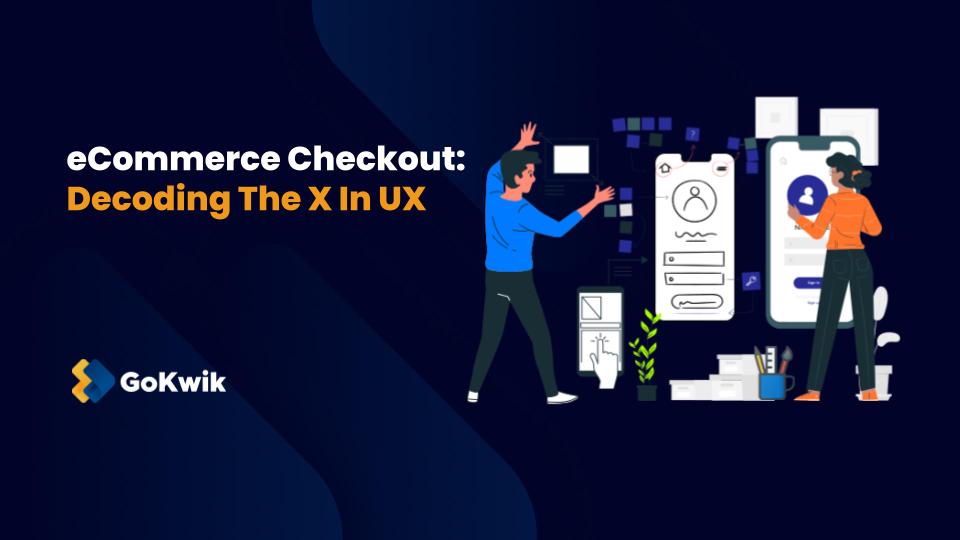
Vardhan leads product and growth initiatives at GoKwik, driving D2C e-commerce innovations, conversion optimization, and scalable growth programs for products. An ISB alumnus based in Bengaluru, he brings expertise from Unacademy, Ola, and Mahindra in building high-impact product strategies.
Read this blog on your favourite platform
Imagine you’re at a physical store with a basket full of goods, and just as you approach the counter to pay, you find the queue endless, the counter cluttered, and the payment process complex. Chances are, you’ll abandon your cart and walk away, no matter how great the store or its products are. Things are no different for eCommerce – that’s precisely how critical the eCommerce checkout UX is.
The checkout in eCommerce isn’t just the final step before a conversion happens; it’s the culmination of the customer’s journey, the climax of their interaction with your online store.
So, it’s not an exaggeration to say that no matter how slick your website is or how tempting the products and deals are, you’re losing the game if the eCommerce checkout UX is anything less than seamless.
That’s why it becomes crucial for eCommerce businesses to focus on the user experience at the checkout stage.
In this blog, we’ll decode the ‘X’ in the eCommerce checkout UX, exploring best practices, sharing illustrative examples, and even delving into the specifics of mobile checkout experiences.
Let’s dive right in!
eCommerce Checkout UX – Best Practices
Almost 70% of online shopping carts are abandoned, and one of the most significant reasons for this is the long or confusingcheckout process.
Here are some eCommerce checkout UX best practices to help you keep a check on your cart abandonment rate.

1. Simplicity Is The Key To Sophistication
It’s common foreCommerce business owners to have the urge to extract as much information as possible about their buyers during the checkout process.
But here’s the catch – true sophistication lies in simplicity.
Instead of over-complicating the checkout process with myriad steps and form fields, you should focus on gathering the essentials. Ask for only the crucial information that paves the way for a seamless transaction; nothing more, nothing less.
What does this mean in practical terms? It means,
- Streamlining the number of steps in the checkout process
- Reducing the number of form fields to those absolutely necessary for purchase completion
- Leveraging technology to your advantage
One fantastic way of doing this is by incorporating GoKwik’s Kwik Checkout Solution. This savvy solution takes the burden off the buyer by offering them the benefit of,
- Auto-login or one-tap login
- Pre-populating address information based on past purchases
- Selecting discounts during checkout
- Verifying order details without any redirections
- Competing payment using a mode of preference
By embracing simplicity in your eCommerce checkout UX, you open the door to sophistication, efficiency, a significantly enhanced user experience, and ultimately conversions.
2. Total Cost To Be Upfront
One undeniable truth in e-commerce is that surprises are best left for birthdays, not checkout processes. There’s nothing more frustrating for a customer than navigating the entire purchasing journey only to be blindsided by unexpected costs at the finish line.
What’s the winning move? Be upfront about costs from the get-go. If taxes are part of the equation, consider incorporating them into the product price. Got shipping costs? List them next to the product or provide a range if the cost varies. You can also offer different shipping options and let the customers select their preferred one, balancing speed and affordability according to their needs.
Now, what about discounts? If your e-commerce store has discounts or deals on offer, make them easily accessible. Not only should customers be aware of these savings, but they should also clearly see the total they’re saving.
Moreover, keep in mind that free shipping is a powerful magnet for many shoppers. In fact, 66% of customers now expect it. While it might seem like a substantial expense, it can be managed strategically – include it in the product price, offer it as a perk for members, or make it available above a certain spending threshold.
Remember, honesty is always the best policy when it comes to costs. Being upfront builds trust and simplifies your customer’s decision-making process, contributing to a superior eCommerce checkout UX.
3. Progress Indicators
Navigating through an eCommerce checkout process can sometimes feel like a trek through uncharted territory. The lack of clear direction can be unnerving for customers, often leading to cart abandonment. This is where progress indicators come in. They play a crucial role in setting customer expectations by visually mapping the checkout journey.
The beauty of progress indicators lies in their simplicity. They let customers know exactly where they stand in the process, how many steps they’ve completed, and how many are left. This transparency can significantly reduce customer anxiety and create a sense of progress, making them feel closer to the finish line.
By incorporating progress indicators into your checkout process, you can offer a transparent and step-by-step guide to your customers, fostering a more user-friendly and efficient eCommerce checkout UX. This simple yet effective tool can play a significant role in reducing cart abandonment rates and increasing conversions.
4. Mobile Optimisation
Our smartphones have become our shopping companions, a trend that underscores the need for mobile optimization in ecommerce.
Even though many businesses diligently optimize their desktop checkout experiences, they often overlook the importance of mobile-friendly interfaces – a costly oversight considering the increasing prevalence of mobile shoppers. In 2021, nearly 73% of all ecommerce sales happened on a mobile device.
An omnichannel approach to ecommerce requires treating mobile optimization as a priority rather than an afterthought. The compact, on-the-go nature of mobile devices makes them perfect for quick purchases and impulse buys.
By optimizing your mobile checkout UX, you can cater to this growing demographic of mobile shoppers, reducing friction in the checkout process and boosting conversion rates.
From responsive design to easy navigation, ensuring your eCommerce checkout UX is mobile-friendly should be an integral part of your strategy. After all, in an era where shopping from the palm of our hands is the norm, mobile optimisation is no longer a luxury – it’s a necessity.
5. Order Review And Editing
The order review and editing step is critical in your eCommerce checkout process, as complications here can lead to user drop-offs. Yet, it’s often overlooked, with Baymard Institute reporting that 42% of sites offer a less-than-ideal experience.
Two principal issues emerge:
- First, a staggering 80% of websites do not allow users to edit data directly at the review step, causing unnecessary backtracking, confusion, and frustration.
- Second, 49% of websites don’t provide separate “Edit” links for distinct information groups, making the process more convoluted than it needs to be.
Addressing these concerns can substantially improve the eCommerce checkout UX, resulting in higher conversion rates.
Implementing inline form fields or page overlays for easy data editing at the review stage, and providing distinct “Edit” links for each information group, are robust solutions.
6. Advancing With Transparent Shipping Information
Customers appreciate knowing when to expect their packages. Websites like boAt have adopted this practice, showcasing expected delivery dates during the checkout process – a feature not traditionally found on Direct-to-Consumer (D2C) platforms.
_1697110106.png)
The clarity in shipping details, costs, and estimated delivery times reduces uncertainty and builds customer trust.
Businesses should strive to communicate these aspects as early as possible in the checkout process, reinforcing their commitment to customer satisfaction and retention.
7. Ensuring Secure Payment Options
Secure payment options are non-negotiable for ecommerce businesses. Partnering with trusted payment gateway providers ensures end-to-end transaction security, fortifying customer trust and minimizing the risk of fraudulent activities.
Offering a variety of payment options is also crucial. From credit and debit cards to mobile-friendly wallets, your ecommerce platform should cater to diverse payment preferences.
Emphasizing security measures, such as SSL encryption and two-factor authentication, reassures customers about the safety of their sensitive information.
Remember, the broader and safer your payment options, the higher your chances of conversion.
what is ecommerce checkout user experience
Ecommerce checkout UX is the experience a customer has while completing an online purchase. It covers every step from cart review to order confirmation, including entering shipping, payment details, and minimizing friction to reduce cart abandonment and boost conversions.

AUTHOR
Vardhan Jain
Director of Product Program @ GoKwik