How KwikAds helped Shop Unrush boost ROAS by 37% in 3 months
How KwikAds helped Shop Unrush boost ROAS by 37% in 3 months
How KwikAds helped Shop Unrush boost ROAS by 37% in 3 months
How KwikAds helped Shop Unrush boost ROAS by 37% in 3 months
Kwik Engage
13 WhatsApp Business Features Every Shopify Owner Should Know in 2026
 26 Mar 2026
 10 Min Read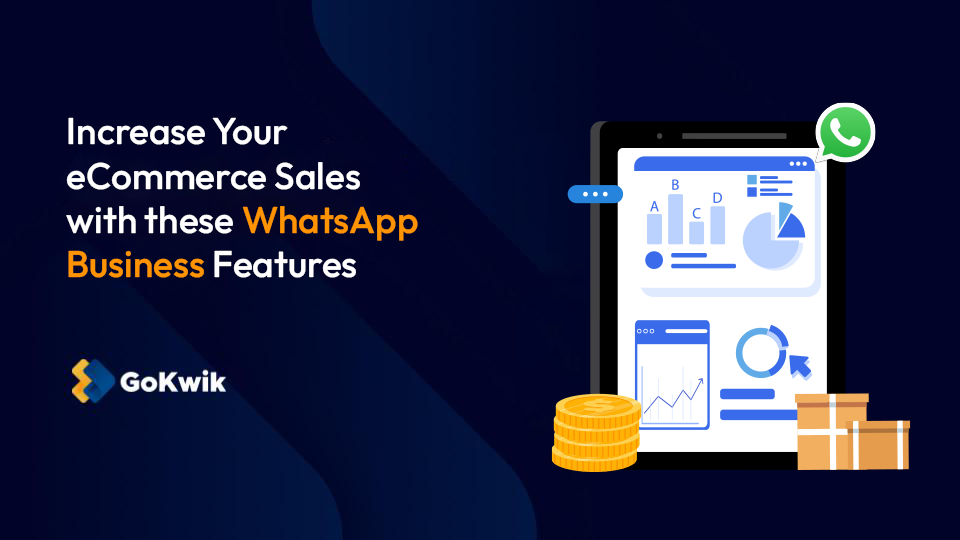
Suhag spearheads D2C growth strategies at GoKwik, focusing on e-commerce optimisation, conversion funnels, and sales enablement. Based in Bengaluru and an MICA alumnus, he excels in crafting GTM playbooks and marketing campaigns tailored for D2C brands.
Read this blog on your favourite platform
The e-commerce landscape is noisier than ever. If you are relying solely on emails to reach the customers, you are essentially whispering into a hurricane. With a 98% open rate and a presence on almost every smartphone in the world, WhatsApp is the undisputed heavyweight champion of customer engagement.
For you, the Shopify store owner, WhatsApp is a conversion powerhouse. In this guide, we will dive into 13 essential WhatsApp business features, from the standard App to the high-octane API, that will help you turn your Shopify store into a 24/7 revenue machine.
Whether you are just starting or scaling to millions in revenue, mastering these tools is non-negotiable for success.
Also read:- Kwik Engage vs Bitespeed: WhatsApp Commerce Tool for Scaling D2C Brand
_(1)_1774524657.jpg)
Also read:- Kwik Engage vs Bitespeed: WhatsApp Commerce Tool for Scaling D2C Brand
1. Professional Business Profile: Your Digital Storefront
First impressions are everything. A WhatsApp Business profile allows you to move beyond a simple phone number. You can add your brand logo, a brief ‘About Us,’ your physical address, website URL, and even your business hours. This transforms an anonymous contact into a legitimate brand entity.
Why it matters:
It builds instant credibility. When a customer clicks ‘Chat with us’ from your Shopify site and sees a verified-looking profile with all your details, their trust in your brand goes up instantly.
It reassures them that they are talking to a real business, not a scammer. This simple step can significantly improve your overall customer experience and reduce bounce rates.
2. Interactive Product Catalogs
Why make customers leave the chat to find a product? The product catalog feature in WhatsApp Business app allows you to showcase up to 500 products directly in your profile. You can include images, prices, descriptions, and even direct links to your Shopify product pages. It functions as a mini-mobile website inside the chat.
Shopify Strategy:
- Share Collections: If a customer asks about summer wear, send the entire ‘Summer Collection’ catalog.
- Keep it Native: Customers can scroll through images without opening a browser.
- Reduce Friction: This keeps the user engaged within the app and drives impulse purchases faster than a website link.
3. Automated Greeting & Away Messages
Speed is the name of the game. If a customer pings you at 2:00 AM, they don't want to wait until morning for a sign of life. Automated greetings welcome new customers instantly, while ‘Away’ messages manage expectations during off-hours. This ensures your customer service never technically sleeps.
The Pro Move:
Make it quirky!
'Hey! Our team is currently recharging their batteries, but we’ve saved your spot in line. In the meantime, check out our latest drop here: [Link].'
A personalized greeting message feels less robotic and keeps the conversation warm until a human agent can take over. It turns a potential frustration into a delightful brand touchpoint.
4. Quick Replies for Instant Support
Are you tired of typing ‘Shipping takes 3 to 5 business days’ for the 50th time today? Quick Replies is a WhatsApp business feature that lets you create keyboard shortcuts for frequently asked questions. You can store up to 50 standardized responses for common queries like refund policies, sizing guides, or payment methods.
The Benefit: Type “/shipping” or “/refund” and the full message populates instantly.
- Keeps support fast and professional.
- Ensures consistent brand voice across agents.
- Drastically reduces response times during peak sale periods.
_(1)_1774524657.jpg)
5. Contact Labels for CRM-lite Organization
As you scale, your inbox will get messy. Contact Labels allow you to categorize chats like ‘New Lead’, ‘Pending Payment’, ‘VIP’, or ‘Order Issue’. This built-in organization system acts as a lightweight CRM directly within your WhatsApp Business App.
Why This WhatsApp Feature is a Win:
This allows you to follow up with specific groups. For instance, you can quickly filter for ‘Pending Payment’ and send a gentle nudge to close those sales.
By segmenting your customer interactions, you can prioritize high-value conversations and ensure no lead falls through the cracks. It helps you treat every customer like a VIP.
6. Automated Abandoned Cart Recovery
This is the holy grail for Shopify owners. Approximately 72% of shoppers leave items in their carts. By integrating the API, you can trigger an automated WhatsApp message 30 minutes after they leave. This is one of the most powerful WhatsApp Business API features available today.
The Impact:
Personalized abandoned cart messages, such as “Hey , you forgot something!” with a direct ‘Complete Purchase’ button can recover up to 3x more revenue than email reminders.
Unlike emails that get buried in promotions tabs, these WhatsApp messages demand attention. It gives you a second chance to convert a lost visitor into a paying customer effortlessly.
7. Automated Notifications for Real-time Order & Shipping Updates
Stop the “Where is my order?” (WISMO) tickets before they start. Use the API to send automated notifications the second a status changes in your Shopify dashboard. Customers appreciate proactive updates that keep them informed without needing to ask.
The Features:
- Order Confirmation: Immediate peace of mind that the purchase was successful.
- Payment Success: A digital receipt for their records.
- Shipped with Tracking Link: The most anticipated message for any buyer.
- Delivered: A perfect moment to ask for a review or feedback.
These automated touchpoints significantly improve customer satisfaction and reduce the workload on your support team.
8. Click-to-WhatsApp (CTWA) Ad Integration
You can run Facebook or Instagram ads that, when clicked, open a WhatsApp chat instead of a landing page. This strategy bypasses the traditional website funnel and drops the user directly into a conversation with your brand.
The Strategy:
This is massive for high-ticket items or products that require a bit of ‘selling.’ You capture the lead immediately in a high-intent conversation rather than hoping they don't bounce from your website.
These WhatsApp ads often have lower CPA (Cost Per Acquisition) because the conversion happens in a personal, high-trust environment.
9. Native WhatsApp Payments
In 2026, the best way to sell is to let customers pay inside the chat. By integrating with payment gateways, your customers can pay via UPI or cards without ever leaving WhatsApp. This seamless experience is a game-changer for reducing drop-offs at the final stage.
Why This:
It turns a 7-step checkout process into a 3-click conversation. By removing the friction of navigating to a website to pay, you capture impulse buys instantly. This is one of the key WhatsApp Business Account Features that directly impacts your bottom line.
10. Interactive Buttons and List Messages
Stop asking customers to 'Type 1 for Sales.' Use interactive messages! You can offer 'Buy Now,' 'Track Order,' or 'Talk to an Agent' buttons that customers simply tap. This modern interface replaces clunky text-based menus.
The User Experience: It makes your WhatsApp interaction feel like a sleek, native app experience, which significantly increases response rates.
- Higher CTR: Potential customers are 3x more likely to tap a button than type a reply.
- Zero Errors: Removes typos or misunderstanding options.
- Sleek Look: Makes your brand feel like a premium, tech-forward service.
_(1)_1774524657.jpg)
11. Automated COD Verification (The RTO Shield)
For Shopify stores in regions like India, Cash on Delivery (COD) is a double-edged sword. Return to Origin (RTO) costs can eat your margins. Fake orders or impulsive buys that get rejected at the door are a massive drain on profitability.
The GoKwik Advantage:
Use the API to send an automated confirmation message for every COD order. The customer must click ‘Confirm’ or ‘Cancel.’
This simple step can reduce your RTO rates by up to 30%, ensuring you only ship to serious buyers. It turns WhatsApp Business Features into a profit protection mechanism.
13. Deep Analytics & Broadcast Insights
You can't manage what you can't measure. The API gives you a bird's-eye view of your performance. Unlike the basic app which shows simple read receipts, the API offers detailed message statistics.
- How many messages were read? Track the true reach of your campaigns.
- What is the click-through rate (CTR)? Understand which offers resonate.
- How much revenue did a specific broadcast generate? Attribute sales directly to your WhatsApp broadcast efforts.
These insights help you refine your strategy, optimize your message templates, and maximize your ROI.
Also read:- Kwik Engage vs Bitespeed: WhatsApp Commerce Tool for Scaling D2C Brand
Also read:- Kwik Engage vs Bitespeed: WhatsApp Commerce Tool for Scaling D2C Brand
_(1)_1774524657.jpg)
Why is Kwik Engage the Ultimate Growth Partner for Shopify Owners?
Implementing these 13 WhatsApp Business Features might seem like a lot of heavy lifting. That’s where GoKwik comes in. We don't just provide a messaging tool; we provide an e-commerce growth ecosystem. We handle the technical complexity so you can focus on your brand.
Through Kwik Engage, we help Shopify merchants automate the entire customer lifecycle. From slashing RTO rates with smart COD verification to recovering abandoned carts with high-conversion WhatsApp flows, we make sure your investment in WhatsApp Business Features actually translates to 'Business Profits.'
Ready to scale? Transform your WhatsApp into a revenue engine with Kwik Engage’s advanced automation for Shopify. Book a 1:1 consultation with our experts today.
What is the difference between WhatsApp Business and regular WhatsApp?
WhatsApp Business is designed for companies, offering features like business profiles, catalogs, and quick replies. Regular WhatsApp Messenger is for personal use. The business version helps you present a professional image and manage customer conversations more effectively than the personal app.
What is the AI feature in WhatsApp Business?
Meta is rolling out AI tools that help generate marketing copy and create images for WhatsApp ads. Additionally, platforms like Kwik Engage use AI to power chatbots that answer common questions automatically, improving your response times significantly.
Can business WhatsApp see who viewed your profile?
No, WhatsApp Business Account owners cannot see who viewed their profile. You can only see who read your messages via read receipts (blue ticks) or viewed your status updates. Privacy rules prevent tracking profile visits directly.
What makes Kwik Engage the best WhatsApp marketing tool for Shopify eCommerce?
Kwik Engage offers deep integration with Shopify, enabling advanced features like headless checkout (in-chat payment), RTO reduction, and anonymous visitor identification. It goes beyond basic bulk messaging to offer a complete revenue optimization suite for D2C brands.
What is the AI feature in WhatsApp Business?
Meta is rolling out AI tools that help generate marketing copy and create images for WhatsApp ads. Additionally, platforms like Kwik Engage use AI to power chatbots that answer common questions automatically, improving your response times significantly.
Can business WhatsApp see who viewed your profile?
No, WhatsApp Business Account owners cannot see who viewed their profile. You can only see who read your messages via read receipts (blue ticks) or viewed your status updates. Privacy rules prevent tracking profile visits directly.
What makes Kwik Engage the best WhatsApp marketing tool for Shopify eCommerce?
Kwik Engage offers deep integration with Shopify, enabling advanced features like headless checkout (in-chat payment), RTO reduction, and anonymous visitor identification. It goes beyond basic bulk messaging to offer a complete revenue optimization suite for D2C brands.

AUTHOR
Suhag Vamja
Head of Product Marketing @ GoKwik