How KwikAds helped Shop Unrush boost ROAS by 37% in 3 months
How KwikAds helped Shop Unrush boost ROAS by 37% in 3 months
How KwikAds helped Shop Unrush boost ROAS by 37% in 3 months
How KwikAds helped Shop Unrush boost ROAS by 37% in 3 months
Kwik Checkout
GoKwik: Simplifying Login & Address for Higher Conversions
 12 Mar 2026
 04 Min Read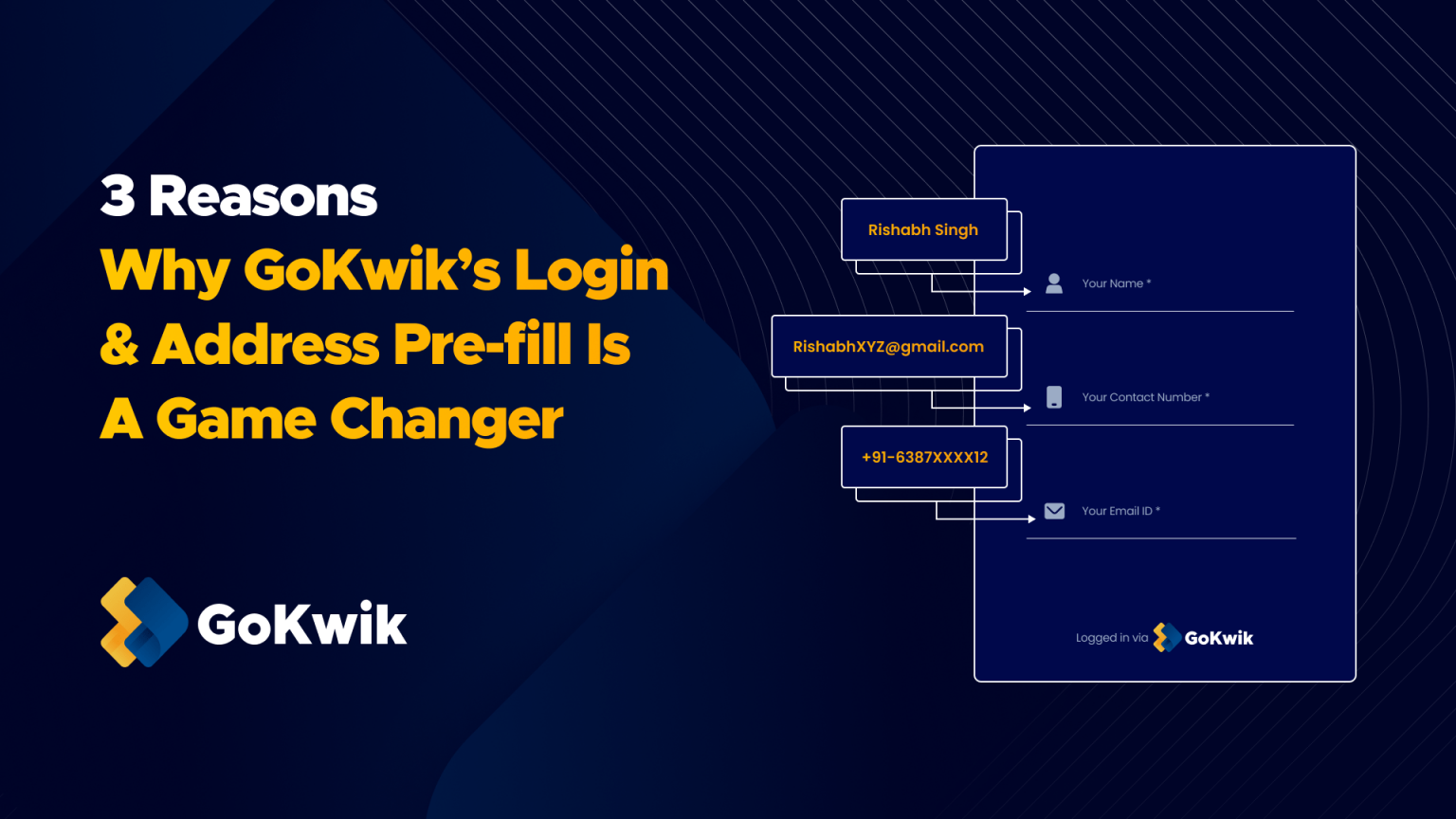
Suhag spearheads D2C growth strategies at GoKwik, focusing on e-commerce optimisation, conversion funnels, and sales enablement. Based in Bengaluru and an MICA alumnus, he excels in crafting GTM playbooks and marketing campaigns tailored for D2C brands.
Read this blog on your favourite platform
About half a decade ago, eCommerce companies were striving to create an appealing and intuitive website that enticed those fence sitters to visit their site and get closer to making a purchase. Come 2023, brands are realising that it’s just not enough.
On average 70% of the people abandon sites after adding items to the cart and proceeding the checkout. 34% of people claim to abandon carts because they’re forced to login or create an account. Meanwhile, about 40% of the drop-offs occur at the address page (aka the information page) due to the lengthy form filling process.
Visitors demand a short and smooth online shopping experience. The more streamlined their checkout experience is, the higher are the chances of them converting into repeat, loyal customers, and even turning into brand advocates.
So, how to reduce abandonments at the login and address stage? Leverage the Gokwik advantage!
The GoKwik Advantage
Our folks at GoKwik abide by the famous KISS rule – Keep It Simple Silly! The more simplified the process, the better shall be the engagement, and hence, the higher shall be the conversion rate.
Meaning, by simplifying the entire login and address filling process at the address stage, brands can conveniently improve the experience of their customers, and therefore, aim for higher conversions.
Moreover, GoKwik also leverages its data network of 100 million+ shoppers to enhance shopper journey at every significant level, giving them the ease of shopping they deserve.
Moreover, GoKwik also leverages its data network of 100 million+ shoppers to enhance shopper journey at every significant level, giving them the ease of shopping they deserve.
In this blog, we’ll talk about 3 primary ways how GoKwik helps eCommerce brands
- Reduce abandonments at the login and address stage
- Streamline the overall conversion funnel
- Entice customers to complete the purchase with utmost ease and comfort

1. Single Sign-on (SSO) Login
This is the industry’s first login feature that helps over 500+ brands reduce drop offs at the login and address stage.
With SSO, built on GoKwik’s Network Effect, a repeat user isn’t required to enter their details to login to an eCommerce platform that’s partnered with GoKwik. Users can conveniently skip the login step and directly land on the address stage.
At the address stage, GoKwik leverages its its network data of 100 million+ shoppers and auto-fills a user’s address eliminating another layer of complexity.
Here’s how SSO login works.
[youtube id="InIsXKmZ_hk"]
[youtube id="InIsXKmZ_hk"]
GoKwik’s SSO Login feature reduces frictions to a great extent and also eliminates the risk of drop offs.
- At present, ~50% of the customers on the GoKwik network are automatically logged-in
- Users logged in via SSO login have ~2x chances of conversion compared to normal login process
2. Quick Login Via Truecaller
While Gokwik’s SSO login feature caters to the existing users, Truecaller SDK integration enables seamless one-tap login and address pre-fill feature for users who are new to the GoKwik network.
Truecaller SDK quickly verifies a new user’s profile, fetches the necessary details, and enables logins with just one single tap. This means, any user with an Android phone who has a Truecaller app installed on their phone, can login across GoKwik’s eCommerce partner network with just one click.
This helps save the immense amount of time a user otherwise spends entering personal details and other shipping information at the login and address stage respectively, on any regular eCommerce site.
Here’s how it works.
[youtube id="6UbuPDsmj7M"]
[youtube id="6UbuPDsmj7M"]
- At present, ~ 30% new users can auto-login via Truecaller SDK
- Truecaller triggered login reduces drop-offs by 25% compared to normal login
From a merchant point-of-view, login via Truecaller helps increase conversions, lowers customer acquisition cost, and uplifts gross merchandise value (GMV).
3. Quick New Address Addition
While GoKwik helps auto-fetch data on desktop and mobile for existing users, what if someone is new to the GoKwik network or wants to ship their products to a new address?
GoKwik has that sorted too!
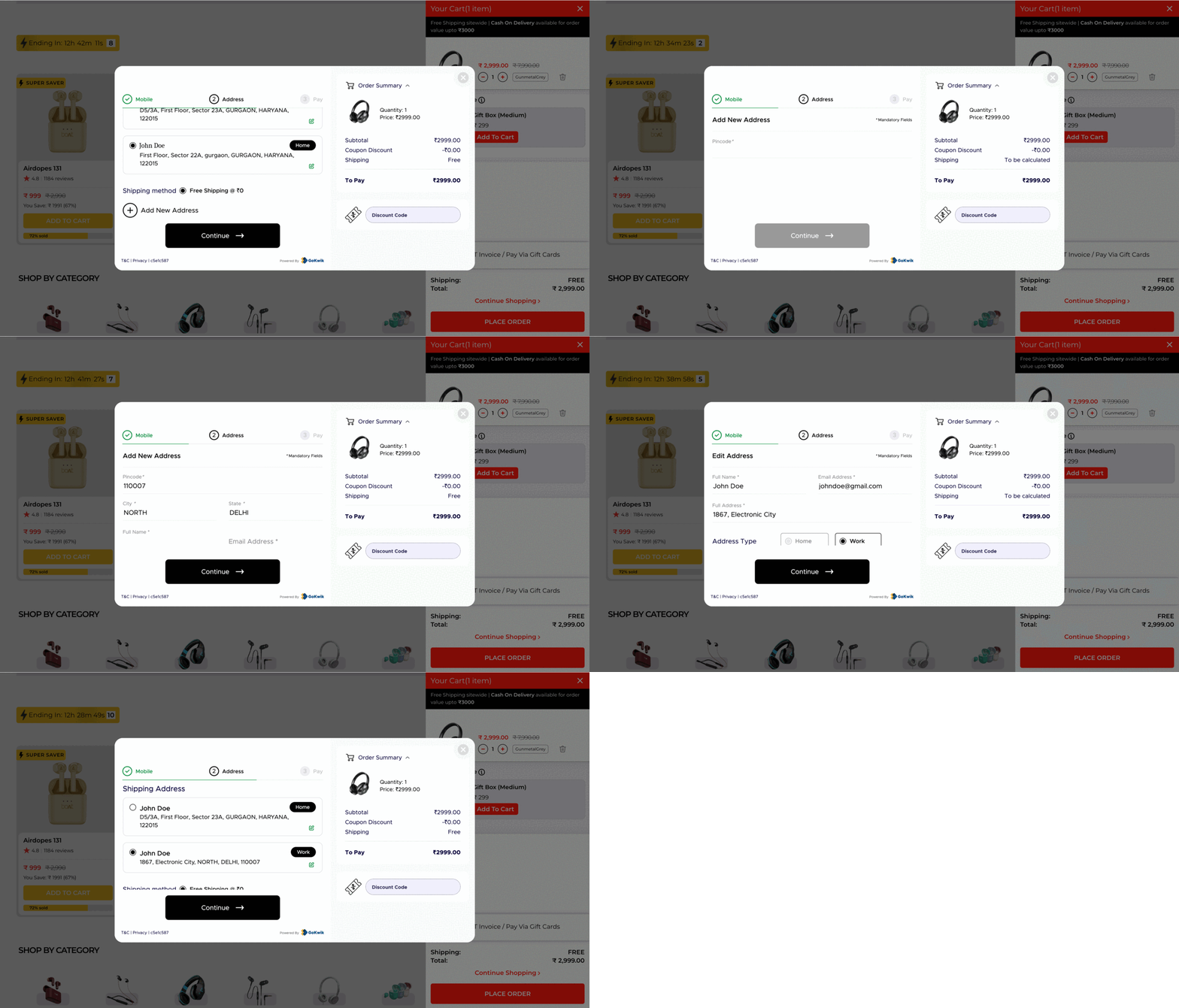
Where most forms start by asking first name, last name, address and a series of other details, GoKwik starts by asking a user’s pin code.
Why? Because by entering the pin code, GoKwik automatically enters nearly 40% of the form’s details. This means, a user just needs to enter their name, email ID, address, and it’s done. Remember the KISS rule silly!
GoKwik ensures that a user doesn’t take more than a couple of seconds to enter a new address which not only reduces that hesitation and frustration, but makes the journey more simple and seamless.
Wrapping Up…
As an eCommerce brand, you may believe that you’ve created a seamless website with the best of product and service offerings. But, have you made the right provisions to stop the drop offs?
If you haven’t, then GoKwik’s solutions are what you need. Get in touch with our team to analyse the leakages in your site, especially at the login and address page, and we’ll help fix the issues with our industry-first eCommerce-driven solutions.

AUTHOR
Suhag Vamja
Head of Product Marketing @ GoKwik