|
Feature |
CTWA Ads |
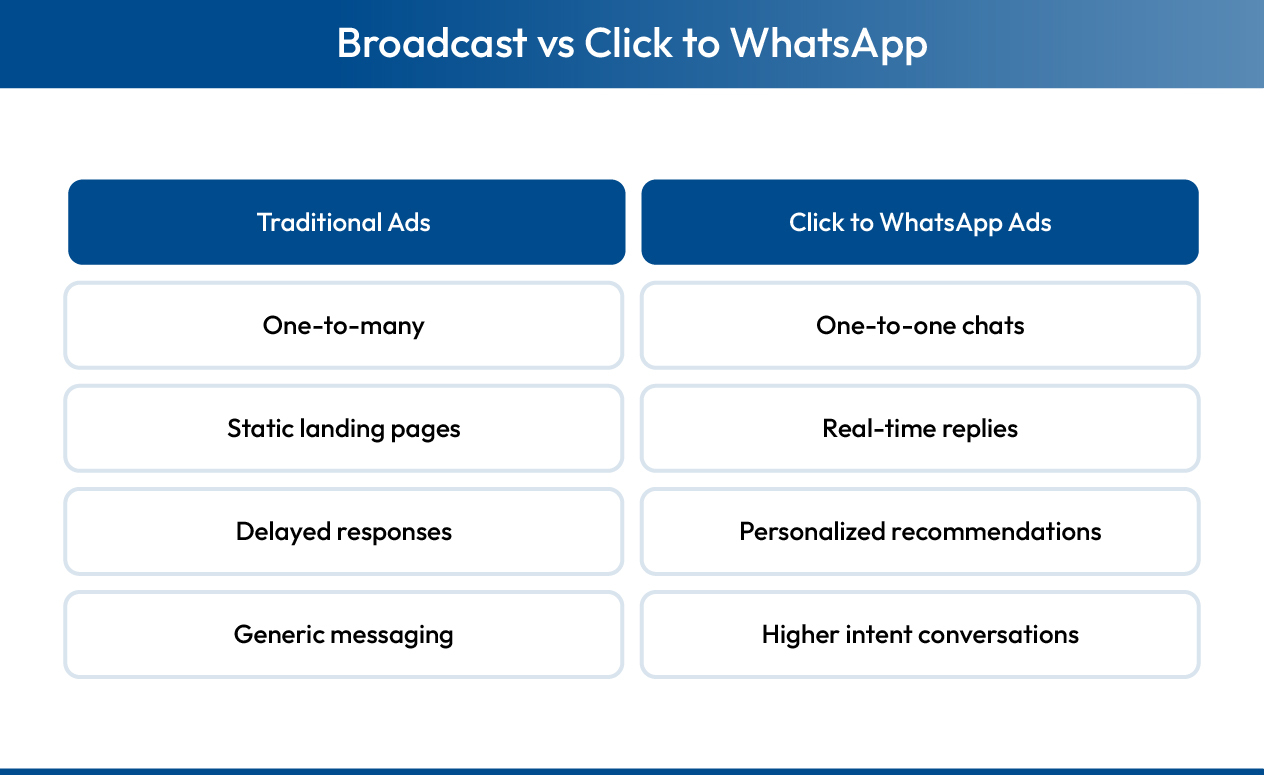
Traditional Ads |
|
Engagement |
Direct messaging, high personal touch |
Redirect to website |
|
Open Rate |
80% (WhatsApp) |
25% (email), 40% (SMS) |
|
Response Time |
Real-time conversation |
Hours/days via email |
|
Media Sharing |
Images, videos, catalogs, voice |
Limited to ad format |
|
Convenience |
Users already on WhatsApp |
Requires site visit |
|
Cost Model |
Pay-per-click or interaction |
Varies by platform |
How KwikAds helped Shop Unrush boost ROAS by 37% in 3 months
How KwikAds helped Shop Unrush boost ROAS by 37% in 3 months
How KwikAds helped Shop Unrush boost ROAS by 37% in 3 months
How KwikAds helped Shop Unrush boost ROAS by 37% in 3 months
Kwik Engage
Click-to-WhatsApp Ads: Complete Guide For Indian D2C Brands
 27 Feb 2026
 23 Min Read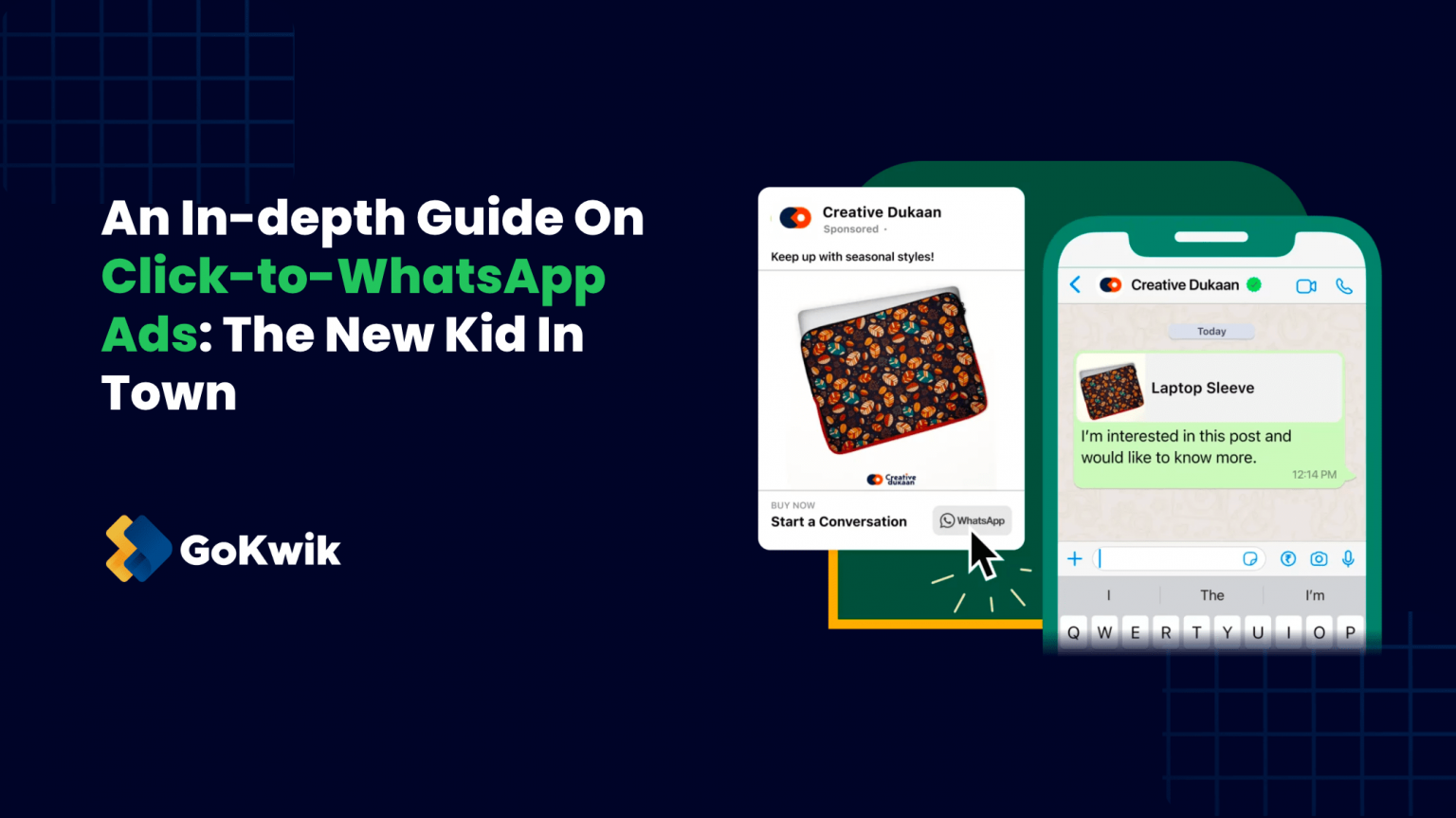
Atul leads marketing at GoKwik, championing D2C brand building, growth strategies, scalable GTM for e-commerce, and data-driven customer acquisition. A former Amazon leader and IIFT MBA alumnus based in Bengaluru, he brings 15+ years scaling business across e-commerce, and fintech.
Read this blog on your favourite platform
Click-to-WhatsApp ads (CTWA) have become essential for Indian eCommerce brands, delivering high open rates and enabling direct customer conversations that convert. When someone clicks your Facebook or Instagram ad, they're instantly connected to your WhatsApp Businessaccount, creating a seamless path from discovery to purchase.
This guide covers everything you need to launch, optimize, and scale successful CTWA campaigns that drive real revenue.
What you'll learn:
- What click-to-WhatsApp ads are and how they work.
- Setting up CTWA in Facebook Ads Manager.
- Use cases and industry-specific strategies.
- Optimization tips and automation best practices.

What are click-to-WhatsApp ads?
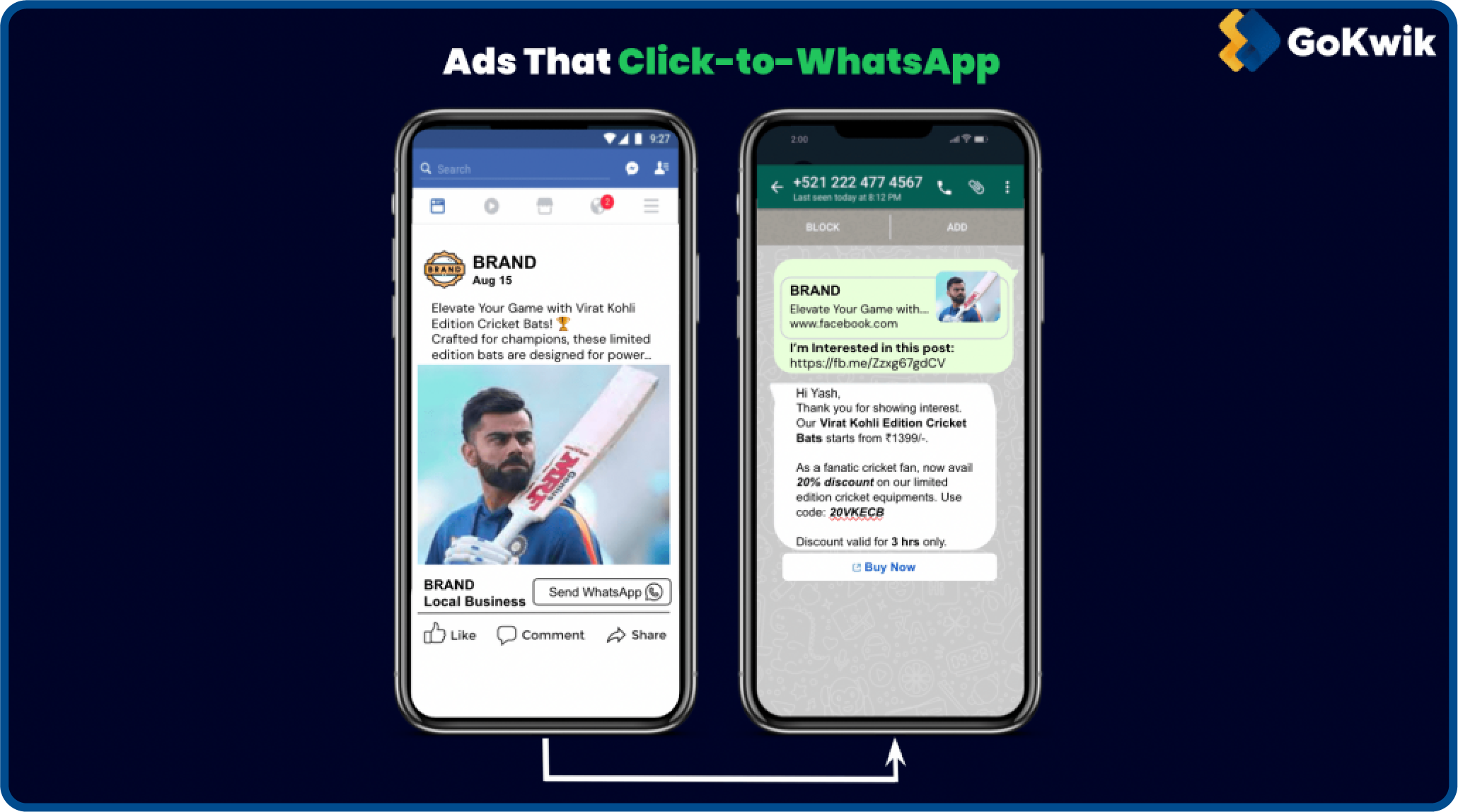
Click-to-WhatsApp ads (CTWA) are advertisements on Facebook and Instagram featuring a call-to-action button that opens a WhatsApp chat with your business. Unlike traditional ads that redirect to landing pages, CTWA ads create immediate, personal conversations.
How do click-to-WhatsApp ads work?
- User sees your ad on Facebook or Instagram.
- Clicks "Send Message" or similar CTA button.
- WhatsApp opens with your business phone number pre-loaded.
- Conversation begins (optionally with pre-filled message).
- Your business responds via WhatsApp Business API or app.
- User converts through the personalized chat.
This approach eliminates form fills, site navigation, and checkout friction, creating a customer journey that feels natural and trusted.
Click-to-WhatsApp ads vs traditional digital ads
The key difference is immediacy. CTWA ads move customers directly into conversations where questions get answered, trust gets built, and purchases happen naturally through dialogue rather than through isolated website browsing.
Read More: Why instagram automation is critical for D2C growth
Why should Indian eCommerce brands use click-to-WhatsApp ads?
Understanding how CTWA works is one thing, but why should Indian brands prioritize it over other advertising channels? The answer lies in WhatsApp's unique position in India's digital landscape and the measurable business results click-to-WhatsApp ads deliver.
Direct communication benefits of click-to-WhatsApp ads
- Direct and personalised communication
Click-to-WhatsApp ads provide one-on-one interaction that allows you to address individual customer needs, provide tailored product recommendations, and offer real-time support. Unlike broadcast marketing, CTWA enables personalized conversations that acknowledge each customer's unique budget, preferences, and purchase timeline.
- High user engagement
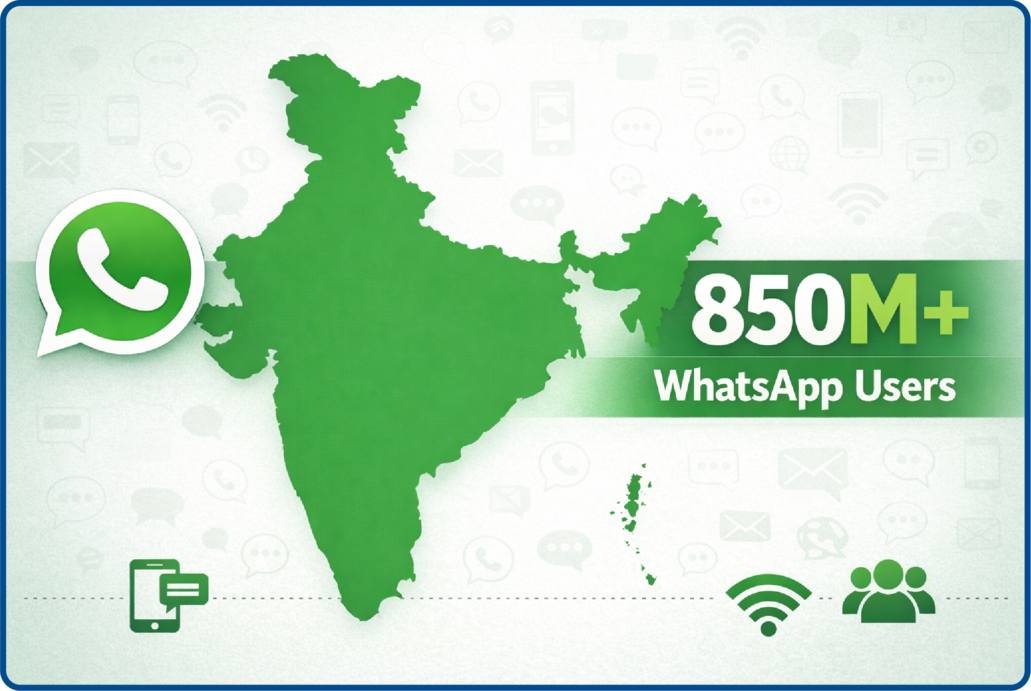
With over 850 million users in India, WhatsApp reaches audiences across metro cities and tier-3 towns alike. CTWA ads tap into this massive, already engaged user base who check the app multiple times daily. The familiar interface and conversational format encourage dialogue that landing pages cannot match.
- Convenience for customers
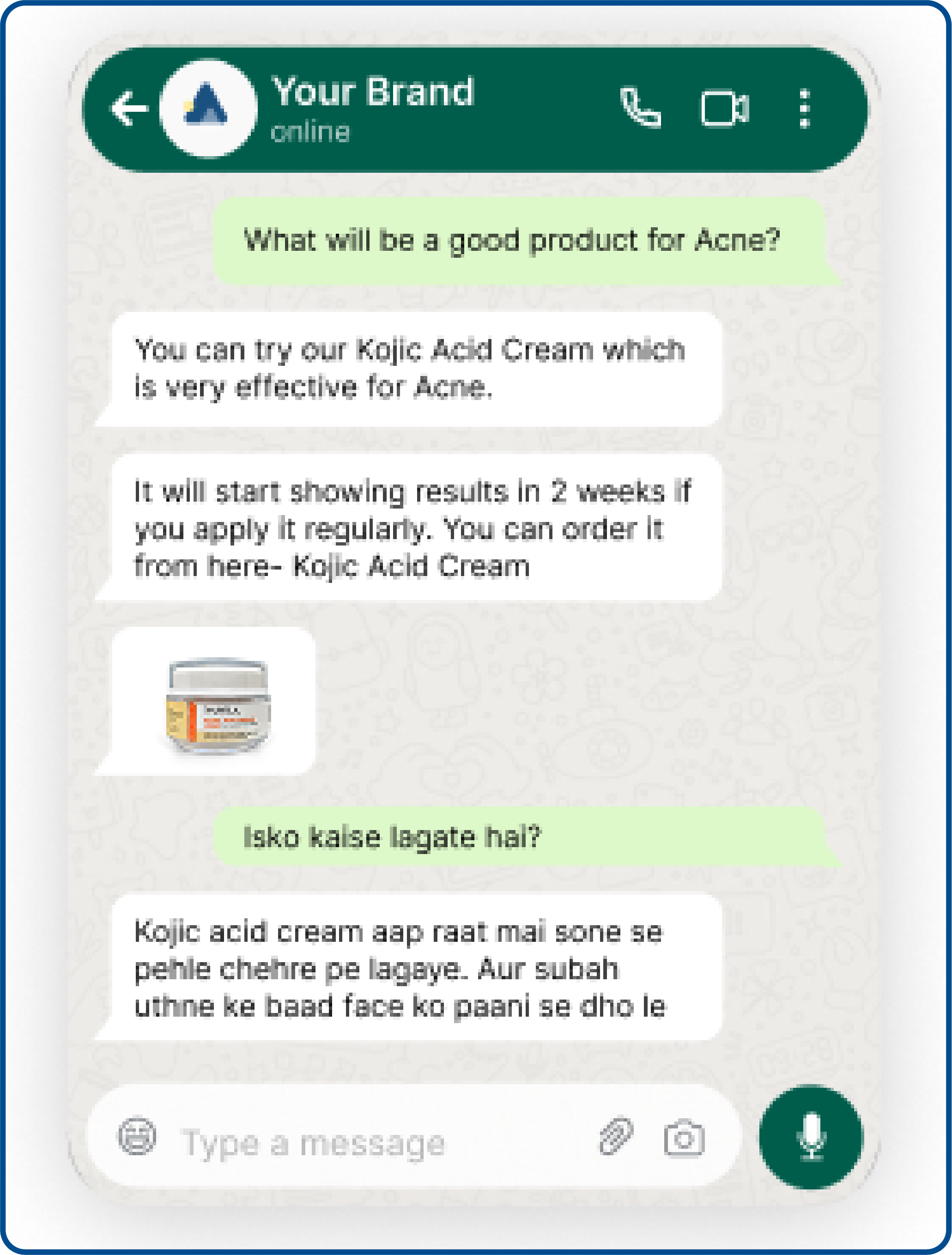
Customers already use WhatsApp daily. No website navigation, no new accounts, no passwords to remember. They can save your number, return to conversations anytime, and share product details with family for purchase decisions. This convenience directly improves conversion rates.
- Real-time customer support
Questions about availability, sizing, delivery, or COD options get answered immediately. This is crucial for Indian eCommerce where customers need clarification before purchasing. WhatsApp Business API enables structured support while maintaining a personal touch.
Business Impact of click-to-WhatsApp Ads
- Cost-effective advertising
Pay-per-click pricing means you only pay when users initiate contact. No wasted budget on passive impressions. For brands watching marketing spend carefully, this performance-based model ensures better ROI than traditional advertising.
- Trackable performance
Monitor everything through Meta Ads Manager and WhatsApp Business API. Track clicks, conversations, response times, and conversions. Identify which ads, audiences, and creatives deliver the best results and optimize accordingly.
- Measure impact quickly
See engagement within hours, not days. Know immediately how many clicked, started conversations, asked questions, and converted. This rapid feedback accelerates optimization, essential for fast-moving markets with frequent sales and festival campaigns.
Competitive Advantages of click-to-WhatsApp Ads
- Reach across India and beyond
Target 850 million Indians across all states and languages while maintaining local relevance through regional templates and culturally appropriate communication. As you expand internationally, the same infrastructure scales globally with WhatsApp's 2 billion users.
- Rich media sharing
Share product images from multiple angles, demo videos, PDF catalogs, comparison charts, and voice explanations, all within the same chat thread. Transform basic conversations into immersive shopping experiences.
- Multi-purpose use
One ad format handles multiple objectives: lead generation, customer support, exclusive discounts, appointment booking, and cart recovery. Master one tool that serves diverse business needs across the entire sales funnel.
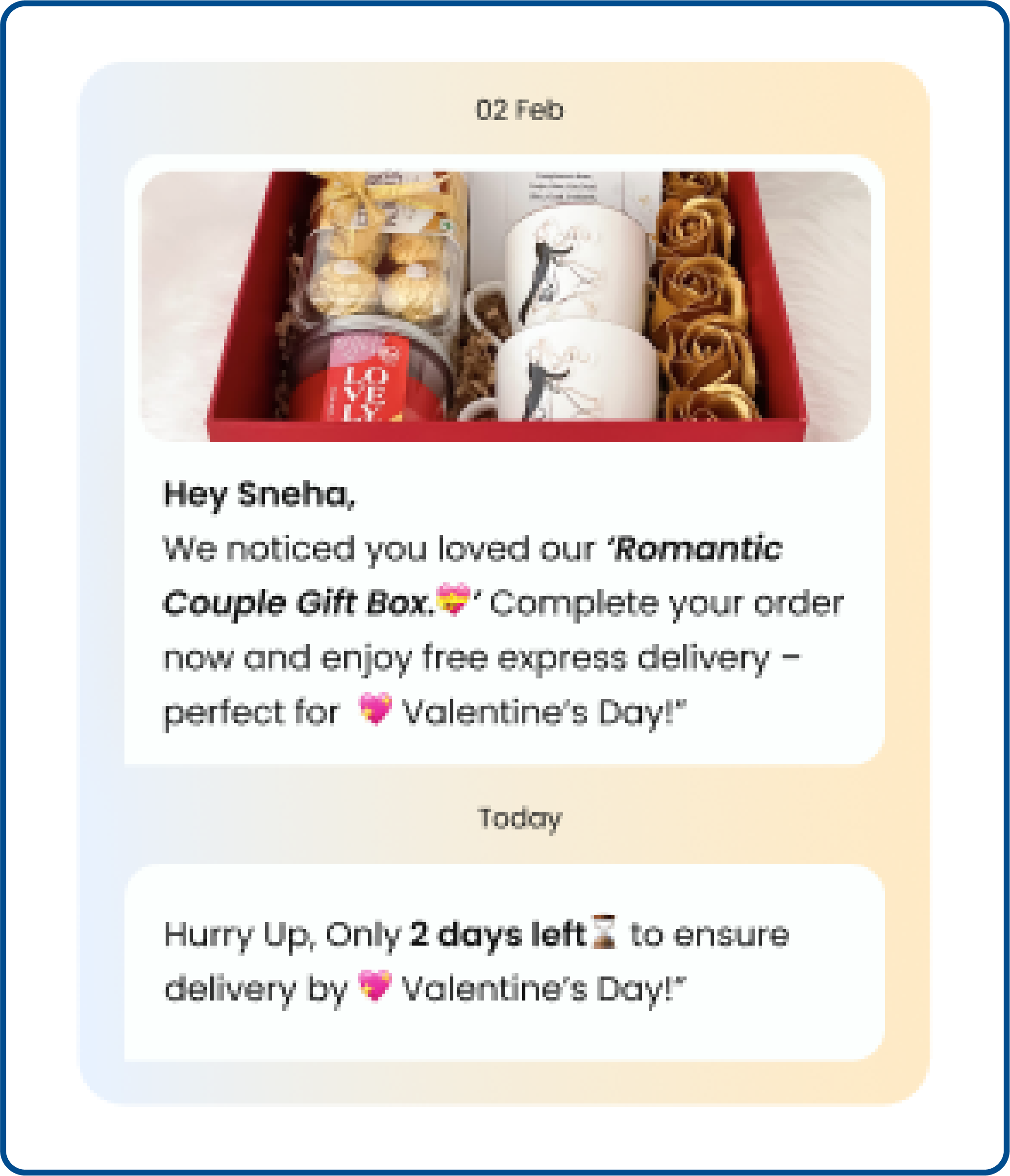
- Integration with marketing campaigns
CTWA ads work seamlessly with your other channels. Instagram ads drive WhatsApp conversations that continue via email. Facebook page content includes CTWA buttons. Track users who clicked WhatsApp ads and converted on your website through Google Analytics.
Pre-requisites for click-to-WhatsApp ads
Running click-to-WhatsApp ads requires a bit of preparation. Here is a checklist of requirements.
- Get a WhatsApp Business Account. You can create click-to-WhatsApp ads directly from the app catalogue. We tell you more about this in the next section.
- An approved Facebook Business Manager Account. To run click-to-WhatsApp ads, you will require a Facebook Business Manager account that is approved.
- A Facebook page that can be connected to your WhatsApp business account.
- Facebook ad account to help you create and run ads.
- Connect your WhatsApp account with your Facebook account.
_1767162558.jpg)
With the prerequisites in place, let's walk through the complete setup process to launch your first CTWA campaign.
How to set up click-to-WhatsApp ads: Step-by-step guide
Setting up click-to-WhatsApp ads requires connecting your WhatsApp Business account with Facebook's advertising platform. Follow these steps to launch your first CTWA campaign.
Step 1: Create your WhatsApp Business account
Before running click-to-WhatsApp ads, you need a WhatsApp Business account separate from your personal WhatsApp.
Setup process:
- Download the WhatsApp Business app from Google Play Store or Apple App Store.
- Choose a business phone number that you'll dedicate to customer conversations (cannot use a number already registered on regular WhatsApp).
- Verify your number through the OTP sent via SMS.
- Create your business profile with the following details:
- Business name
- Business category (select the most relevant option)
- Business description (brief overview of what you offer)
- Business address (if you have a physical location)
- Business hours
- Website URL
- Business email
- Upload your logo as the profile picture for brand recognition.
- Set up an automated greeting message (optional but recommended for immediate engagement).
Troubleshooting tips:
- If your number is already on WhatsApp personal, you'll need a different number or port your existing number.
- Business verification can take 24-48 hours for some accounts.
- Keep your business profile complete (100% completion improves trust and ad performance).
- Test your account by having someone message you before launching ads.
Time required: 10-15 minutes
Step 2: Choose your advertising platform
Click-to-WhatsApp ads are typically available on popular advertising platforms like Facebook Ads or Google Ads. Choose the platform that aligns with your marketing strategy. Here, we’ll provide steps for setting up Click-to-WhatsApp ads on Facebook
Step 3: Set up click-to-WhatsApp ads on Facebook
- Access Facebook Ads Manager: Log in to your Facebook Ads Manager account or create one if you don’t have one already.
- Create a New Campaign: Click on “Create” to start a new ad campaign.
- Choose Your Campaign Objective: Select the campaign objective that aligns with your marketing goals. For Click-to-WhatsApp ads, you may choose objectives like “Traffic” or “Conversions.”
- Define Your Target Audience: Specify your target audience based on demographics, interests, behaviour, and other criteria relevant to your eCommerce business: Location: Select India or specific states/cities (example: Maharashtra, Karnataka, Delhi NCR).
- Demographics: Choose age range (typically 18-45 for most eCommerce) and gender if relevant to your products.
- Detailed Targeting: Add interests and behaviors like online shopping, your product category, competitor brand interests, and related hobbies.
- Custom Audiences: Upload existing customer lists or create audiences from website visitors via Facebook Pixel, Instagram engagers, or previous WhatsApp contacts.
- Set Your Ad Budget and Schedule: Determine budget and schedule for your Click-to-WhatsApp ad campaign. Choose between a daily budget (₹500-750 minimum for testing) or a lifetime budget (total amount over campaign duration). Decide whether to run continuously or set specific dates for time-bound promotions. Choose Ad Placements: Start with "Automatic Placements" to let Meta optimize where your CTWA ads appear across Facebook feed, Instagram feed, Stories, and other placements. Switch to manual placements once you gather performance data.
- Create Your Ad Creative: In the ad creation section, you’ll design your Click-to-WhatsApp ad. Here are the key components: Ad Format: Choose the format that supports Click-to-WhatsApp. For instance, a single image or video, etc.
- Ad Content: Write compelling ad copy that encourages users to click and start a WhatsApp conversation. Make sure to include a clear call-to-action (CTA).
- Media: Upload images or videos that resonate with your target audience.
- URL: In the ad setup, you’ll see an option to enter the WhatsApp number or link. Users will land on this number of links when they click on the CTA button.
- Add the WhatsApp CTA Button: To enable Click-to-WhatsApp functionality, add a CTA button like “Send Message” or “Chat Now” to your ad. This button will initiate a WhatsApp chat when clicked.
- Review and Confirm: Review your ad details, including targeting, budget, and creative. Make any necessary adjustments. Double-check your WhatsApp Business phone number is correct.
- Preview your ad on mobile devices where most users see it.
- Verify pre-filled message references your ad or offer.
- Confirm budget and schedule settings.
- Review targeting parameters.
- Check that images are high quality and on-brand.
- Launch Your Campaign: Once you’re satisfied with your ad setup, click the “Submit” or “Launch” button to start your Click-to-WhatsApp ad campaign.
- Monitor and Optimise: Continuously monitor the performance of your Click-to-WhatsApp ads and track metrics such as click-through rates (CTR), conversion rates, and return-on-investment (ROI).
- Make optimisations based on the data you collect. Adjust targeting, ad creative, and budget to improve ad performance and achieve your marketing goals.
Remember that the specific steps may vary slightly depending on the advertising platform you choose, but the general process remains similar.
Whether you’re using Facebook Ads, Google Ads, or another platform, Click-to-WhatsApp ads can be a valuable addition to your eCommerce marketing strategy, helping you engage with your audience in a more personalised and convenient way.
_1767162976.jpg)
Step 4: Set up automated CTWA responses
This is the most critical step that determines whether your click-to-WhatsApp ads generate revenue or waste budget. Most brands focus only on creating ads and completely ignore what happens after the click.
80% of WhatsApp messages are read within 5 minutes. Customers checking their messages quickly may expect similar responsiveness from businesses. Without WhatsApp automation, manual responses can't keep pace with this expectation, resulting in lost conversations and abandoned purchases.
Essential automation components:
Instant Welcome Message
Set up an automated greeting that fires immediately when someone messages you from a CTWA ad.
Example:
Hi! 👋 Thanks for reaching out about our summer sale! I'm here to help you find exactly what you need.
Are you looking for something specific, or would you like to see our bestsellers?
FAQ Automation
Program automatic responses for common questions:
- "What are your delivery charges?" → Share shipping policy
- "Do you accept COD?" → Explain payment options
- "What's your return policy?" → Link to return guidelines
- "Do you have [size/color]?" → Check inventory and respond
Product Recommendations
Based on which ad they clicked, automatically suggest relevant products with high-quality product images, price, and discount information, direct purchase links, and alternative options if sold out.
Cart Recovery Triggers
If someone browses products but doesn't purchase, set up automated follow-ups:
- 2 hours later: "Hi [Name]! Still interested in [product]? I can help you complete your order."
- 24 hours later: "Here's an exclusive discount code just for you: CHAT10"
- 48 hours later: "Last chance! Your items are selling fast. Chat to secure yours now."
Human Handoff Rules
Define when conversations should automatically route to your team: after multiple automated exchanges without resolution, when customers express frustration, for complex customization requests, high-value orders above a certain threshold, or complaints and refund requests.
Your CTWA campaign setup is now complete. But knowing how to set up ads is just the beginning. Let's explore the diverse ways you can use CTWA to achieve different marketing objectives.
Click-to-WhatsApp ads use cases: 8 proven strategies
Your marketing plan and calendar will have many activities where click-to-WhatsApp ads can drive engagement and conversions. Here are eight proven use cases with examples and implementation tips.
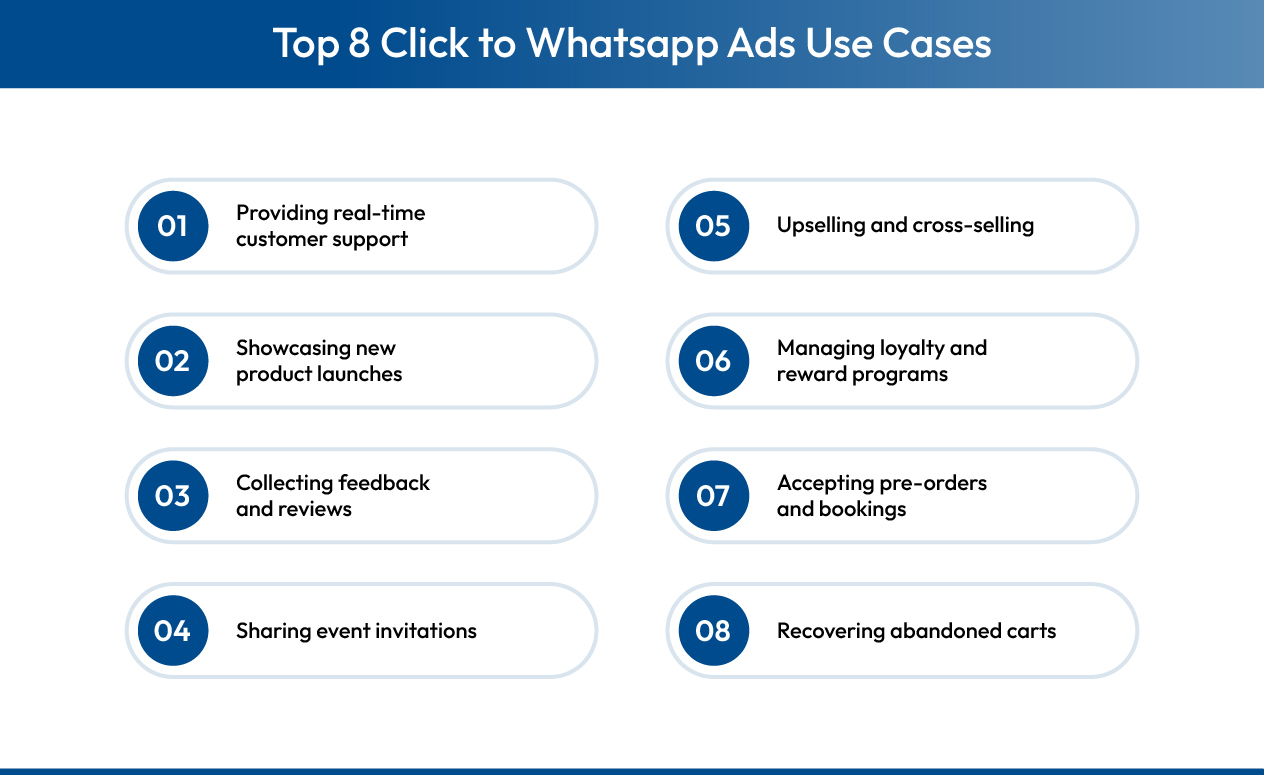
1. Providing real-time customer support
With WhatsApp's quick and two-way conversational nature, you can use CTWA ads to offer instant support to customers. When customers have an easy way to reach out to brands, it enhances their experience and helps build trust.
Example: Electronics brand runs click-to-WhatsApp ads with the message "Got questions about setup? Our tech experts are ready to help. Chat now!"
Implementation tips:
- Set up automated responses for common support questions (delivery times, return policy, payment options).
- Route complex queries to human agents automatically.
- Track resolution times to maintain service quality.
- Use WhatsApp Business API for team collaboration on support tickets.
2. Showcasing new product launches
Create click-to-WhatsApp ads to introduce new products with images, details, demos, and features. Share product reviews and unboxing videos directly in chat. WhatsApp makes it easy for customers to ask questions and improves conversion rates.
Example: Fashion brand launches summer collection with CTWA ad: "Be the first to see our new summer line. Chat with us for an exclusive preview and early bird discount!"
Implementation tips:
- Share high-quality product images from multiple angles.
- Send video demos showing product usage.
- Offer pre-launch discounts to users who engage via WhatsApp.
- Collect interest lists for launch day notifications.
- Share customer testimonials and reviews from early adopters.
3. Collecting feedback and reviews
Since WhatsApp is a direct and personalized channel, using it to request feedback helps you get better results. Customers are more likely to share their thoughts about your product, services, and overall brand experience when you make it easy.
Example: After delivery confirmation, send CTWA retargeting ad: "How's your new purchase? Share your experience and get 10% off your next order!"
Implementation tips:
- Time feedback requests 3-5 days after delivery (optimal satisfaction window).
- Keep surveys short (3-5 questions maximum).
- Offer incentives like discount codes for completed reviews.
- Use conversational format rather than formal surveys.
- Respond personally to all feedback, especially negative comments.
4. Sharing event invitations
If you're hosting online events like webinars or workshops, or offline events to bring customers together, WhatsApp ads can spread awareness and drive sign-ups. Two-way chat allows customers to ask questions and send RSVPs easily.
Example: Fitness brand hosting virtual workout challenge with CTWA ad: "Join our 30-day fitness challenge! Chat to reserve your spot and get your workout plan."
Implementation tips:
- Send calendar invites directly through WhatsApp.
- Share event reminders 24 hours and 1 hour before the start time.
- Provide event links and access codes via chat.
- Enable Q&A before and during events through WhatsApp.
- Follow up post-event with recordings or key takeaways.
5. Upselling and cross-Selling
Use click-to-WhatsApp ads to introduce complementary products and share recommendations that help customers shop better. This increases engagement and average order value.
Example: Customer buys a camera, receives CTWA retargeting ad: "Complete your photography setup! Chat with us for personalized lens and accessory recommendations."
Implementation tips:
- Recommend products based on browsing or purchase history.
- Use "frequently bought together" suggestions.
- Offer bundle deals with discount incentives.
- Share comparison charts for upgrade options.
- Time upsell messages during high-intent moments (post-purchase, cart browsing).
6. Managing loyalty and reward programs
Loyalty programs require frequent communication with customers. Click-to-WhatsApp ads ensure customers know how to stay connected with your brand and maximize their loyalty benefits.
Example: Beauty brand sends CTWA ad to loyalty members: "You have 500 points expiring soon! Chat to redeem exclusive rewards before they're gone."
Implementation tips:
- Share points balance updates regularly.
- Send tier upgrade notifications via WhatsApp.
- Offer exclusive rewards redeemable only through chat.
- Remind customers of expiring points or benefits.
- Enable easy redemption through WhatsApp without a website login.
7. Accepting pre-orders and bookings
WhatsApp ads are one of the quickest ways to accept pre-orders and bookings. Offering exclusive discounts and deals improves pre-order rates, and you can use WhatsApp as the primary channel for delivery communication.
Example: Gaming store launching new console with CTWA ad: "Pre-order the latest gaming console! Chat now to secure yours with 15% early bird discount."
Implementation tips:
- Create urgency with limited pre-order quantities.
- Send payment links directly in WhatsApp for seamless checkout.
- Provide order confirmation and tracking updates via chat.
- Offer pre-order exclusive bonuses or bundles.
- Keep customers updated on release dates and shipping schedules.
8. Recovering abandoned carts
Cart abandonment rates are extremely high in eCommerce. Click-to-WhatsApp ads can bring customers back to complete their purchases by offering deals and addressing concerns.
Example: User abandons ₹3,000 cart, sees CTWA retargeting ad: "Still thinking about your cart? Chat with us for a special discount to complete your order today!"
Implementation tips:
- Set up retargeting campaigns for cart abandoners within 2-4 hours.
- Send personalized messages showing the exact abandoned items.
- Offer time-limited discount codes (10-15% off).
- Address common objections (shipping costs, payment concerns, product questions).
- Use urgency triggers like "Only 2 left in stock" or "Sale ends tonight."
Abandoned cart recovery through CTWA achieves significantly higher success rates than email because WhatsApp enables real-time conversation to overcome purchase hesitations.
While these use cases apply across industries, the specific implementation varies significantly based on your business type. Let's explore how different eCommerce segments can tailor CTWA strategies to their unique customer needs.
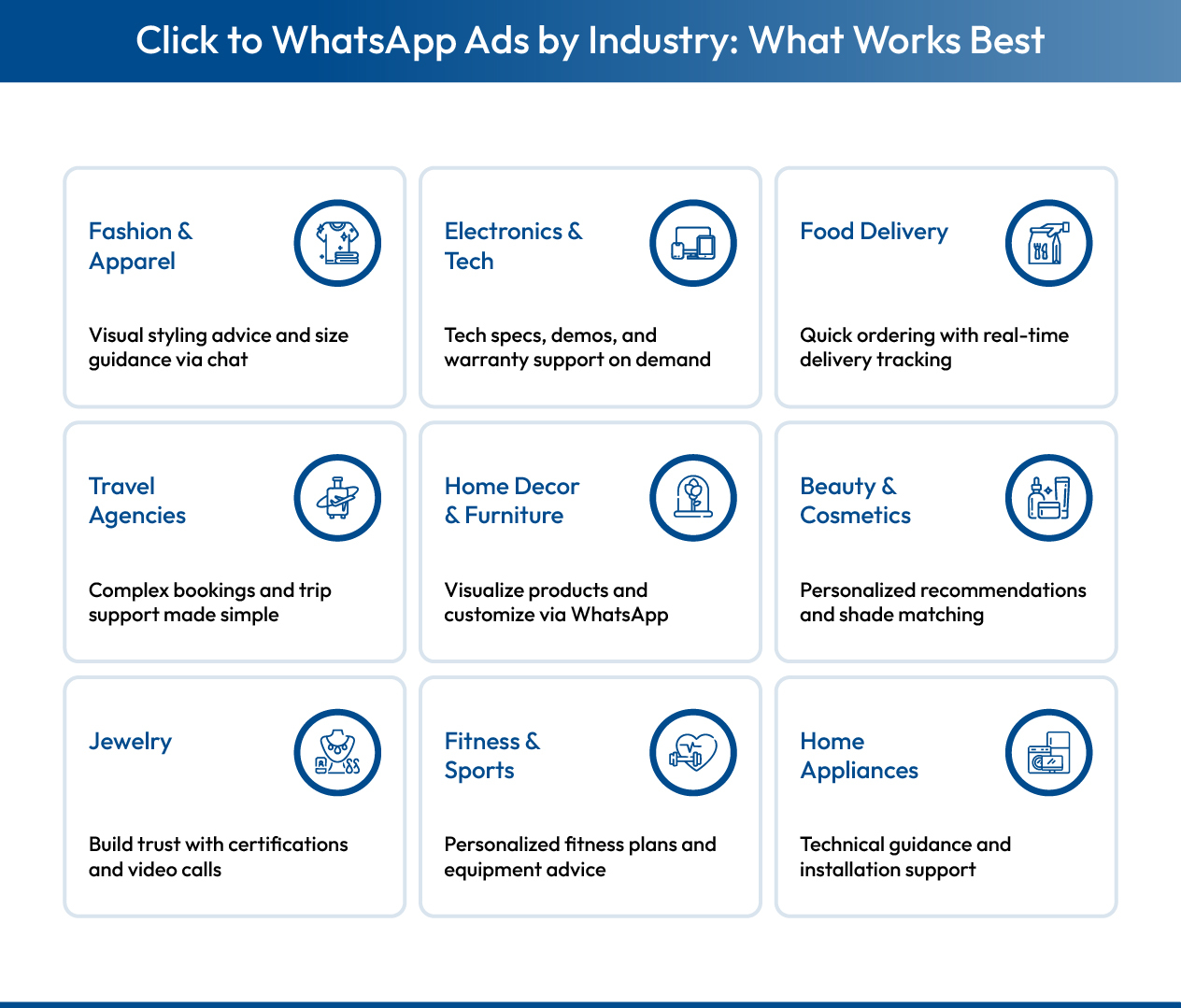
Industry-specific click-to-WhatsApp ads strategies
Different eCommerce industries require unique click-to-WhatsApp ads approaches based on customer behavior, purchase cycles, and product complexity.
Fashion & Apparel
Fashion brands thrive with click-to-WhatsApp ads due to WhatsApp's visual nature and the personalized styling advice customers seek before purchasing clothing and accessories.
Why CTWA works: Visual product sharing, styling consultations, size guidance, fit recommendations
Strategies:
- Use click-to-WhatsApp ads to showcase new collections with multiple product angles.
- Offer personalized styling sessions through WhatsApp chat.
- Provide sizing and fit guidance to reduce returns.
- Share exclusive WhatsApp-only discount codes.
- Send abandoned cart recovery messages with alternative product suggestions.
Electronics & Tech
Electronics customers need detailed specifications, product comparisons, and warranty information before making purchase decisions, making CTWA's conversational format ideal for building confidence.
Why click-to-WhatsApp ads work: Technical support, product comparisons, spec clarifications, warranty details
Strategies:
- Use CTWA ads to promote the latest gadget launches with detailed specifications.
- Offer video demos and unboxing content through WhatsApp.
- Provide technical troubleshooting and setup guidance.
- Share EMI and financing information through chat.
- Answer compatibility and warranty questions in real-time.
Food Delivery Services
Food delivery thrives on click-to-WhatsApp ads due to the need for quick ordering, dietary accommodations, and real-time delivery tracking.
Why CTWA works: Fast ordering, dietary queries, delivery updates, customization requests
Strategies:
- Create click-to-WhatsApp ads featuring menu highlights and special offers.
- Enable quick reordering for repeat customers through WhatsApp.
- Handle dietary restrictions and customization requests via chat.
- Provide real-time delivery tracking through automated messages.
- Manage subscription meal plans through WhatsApp conversations.
Travel Agencies
Travel bookings benefit from CTWA's ability to handle complex itineraries, documentation requirements, and provide ongoing trip support throughout the customer journey.
Why click-to-WhatsApp ads work: Complex queries, booking assistance, documentation support, real-time updates
Strategies:
- Use click-to-WhatsApp ads to advertise vacation packages with destination highlights.
- Share detailed travel itineraries and booking confirmations via WhatsApp.
- Provide visa and documentation guidance through chat.
- Offer travel assistance during trips.
- Send personalized destination recommendations based on preferences.
Home Decor and Furniture Retailers
Furniture and home decor purchases require visualization, customization discussions, and dimension verification, making CTWA conversations essential for confident buying decisions.
Why CTWA works: Customization needs, space planning, visual confirmation, dimension queries
Strategies:
- Showcase furniture in various room settings through WhatsApp product catalogs.
- Offer customization options for colors, sizes, and materials.
- Provide virtual interior design consultations via chat.
- Share dimension calculators and space planning assistance.
- Schedule assembly and installation support through WhatsApp booking.
Beauty and Cosmetics Brands
Beauty products require personalized recommendations, ingredient transparency, and shade matching, all effectively handled through click-to-WhatsApp ads conversations.
Why click-to-WhatsApp ads work: Personalization, ingredient queries, shade recommendations, skin type matching
Strategies:
- Use CTWA ads to offer personalized skincare consultations.
- Share before/after results and customer testimonials.
- Provide ingredient transparency and allergen information.
- Send makeup tutorials and product usage tips via video.
- Enable subscription box sign-ups through WhatsApp.
Jewelry Retailers
High-value jewelry purchases require trust-building, certification verification, and customization discussions, making CTWA's personal approach essential for closing sales.
Why CTWA works: Trust building, certification sharing, custom design consultation, authenticity verification
Strategies:
- Share certification and authenticity documents through WhatsApp.
- Offer video calls for high-value item viewing.
- Provide custom design consultations and mockups via chat.
- Explain flexible payment plans and EMI options.
- Enable gift recommendations with personalized packaging options.
Fitness and Sports Equipment Stores
Fitness equipment buyers need workout planning guidance, equipment recommendations based on goals, and form instruction, all deliverable through click-to-WhatsApp ads.
Why click-to-WhatsApp ads work: Personalized fitness advice, equipment matching, training support, goal assessment
Strategies:
- Use click-to-WhatsApp ads to offer free fitness assessments and goal-setting consultations.
- Recommend equipment based on fitness goals and experience level.
- Share workout tutorials and proper form videos.
- Enable virtual training session bookings through WhatsApp.
- Provide progress tracking and motivation through regular check-ins.
Home Appliances Retailers
Appliance purchases require technical specifications, energy efficiency comparisons, and installation coordination, making CTWA ideal for detailed product discussions.
Why CTWA works: Technical details, installation support, warranty assistance, energy efficiency guidance
Strategies:
- Highlight the latest appliances and energy-efficient features in CTWA ads.
- Provide expert advice on selecting the right appliances for the home size.
- Share product specifications, warranty information, and user manuals.
- Offer installation and setup support booking through WhatsApp.
- Enable troubleshooting and technical support via chat.
Each eCommerce company can tailor its Click-to-WhatsApp ad strategy to suit its unique products and customer base. The key is to leverage WhatsApp as a direct communication channel to engage with customers, answer their questions, provide assistance, and ultimately drive conversions.
Once you have your industry-specific strategy in place, these advanced optimization tips will help you maximize performance.
1. Write high-converting ad copy
Your ad copy determines whether users click. Focus on clear value propositions, create urgency with time-sensitive offers, and address specific customer pain points. Use conversational language that matches how people actually talk on WhatsApp.
Example: "Struggling to find your size? Chat with us now for personalized recommendations. Limited stock available!"
2. Include a strong call-to-action
Your CTA button text significantly impacts click rates. Test different options to find what resonates with your audience.
High-performing CTAs you can use:
- "Chat Now" (general, friendly)
- "Get Quote" (for services or high-value items)
- "Shop Now" (direct, action-oriented)
- "Check Availability" (creates urgency)
3. Test multiple creative variations
Creative fatigue sets in after 2-3 weeks. Run 3-5 ad variations simultaneously and rotate based on performance. Test different product images, headline angles, offer presentations, and pre-filled message variations. Keep what works, replace what doesn't.
4. Leverage WhatsApp's rich-media features
Go beyond basic text messages. Use product catalogs for easy browsing, share video demos and tutorials, send voice messages for a personal touch, and create quick reply buttons for common questions. These features increase engagement and conversions.
5. Track performance and optimize continuously
Monitor key metrics weekly through Facebook Ads Manager and your automation platform. Track click-through rate, cost per click, conversion rate, and conversion rate. Pause underperforming ads, scale winning campaigns by 20-30%, and test one new variable each week.
6. Segment audiences for precision targeting
Broad targeting wastes budget. Create specific segments for website visitors from the past 30 days, customers who purchased in specific categories, cart abandoners, and lookalike audiences of your best customers. Run separate campaigns for each segment with tailored messaging.
7. Automate responses for instant engagement
Quick replies are non-negotiable. 80% of users expect responses within 5 minutes. Set up automated welcome messages, FAQ responses for common questions, product recommendations based on browsing history, and cart recovery sequences. This maintains engagement 24/7 without requiring constant manual attention.
While these optimization strategies are essential, implementing them manually becomes overwhelming as your CTWA campaigns scale. That's where the right automation infrastructure makes all the difference.
Turn click-to-WhatsApp ads into revenue with Kwik Engage
CTWA ads deliver the clicks, but converting conversations into sales requires automation, intelligence, and scale. Kwik Engage is built specifically for Indian D2C brands running CTWA campaigns, transforming WhatsApp from a messaging app into a revenue engine.
Kwik Engage enables:
- Instant automated responses handling 1000+ daily conversations in under 2 seconds
- 22% cart recovery rate through intelligent WhatsApp automation (vs 5-8% email)
- Network intelligence leveraging GoKwik's 125M+ verified shoppers for superior targeting
- 13X ROI on CTWA ad spend with proven automation workflows
- Full-funnel attribution tracking from ad click to final purchase
- 20X ROAS on WhatsApp campaigns through AI-powered optimization
With Kwik Engage, Indian D2C brands achieve results that a standalone WhatsApp Business app or generic marketing platforms cannot match. This makes it the platform of choice for 10,000+ brands serious about WhatsApp commerce.
Ready to maximize your CTWA conversions? Talk to us today!
What are click-to-WhatsApp ads?
Click to chat ads are digital advertisements on Facebook and Instagram that open a WhatsApp conversation when clicked. Users tap the CTA button on your ad and instantly connect to your business phone number via WhatsApp. This enables immediate two-way communication for sales, support, and customer engagement.
Are click-to-WhatsApp ads expensive?
No, CTWA ads are cost-effective with pay-per-click pricing, where you only pay when users initiate contact. Brands using proper automation through platforms like Kwik Engage achieve 20X ROAS and 13X ROI on WhatsApp marketing spend, making CTWA one of the most profitable channels for Indian eCommerce.
Can I track conversions from click-to-WhatsApp ads?
Yes. Track performance through Facebook Ads Manager for clicks, CPC, and reach. Use WhatsApp Business API to monitor conversations. Full-funnel tools like Kwik Engage provide complete attribution from ad click through chat to final purchase. Monitor CTR, conversion rate, ROAS, CAC, and revenue per campaign for ongoing optimization.
Do I need automation tools to run CTWA ads successfully?
Manual responses work for under 50 daily clicks. Beyond that, automation becomes essential. Without it, 30+ minute response times kill 70% of conversions. WhatsApp Business API platforms like Kwik Engage provide instant responses in under 2 seconds, automated cart recovery with 22% recovery rates, and scalability for 1000+ daily conversations.
How do I get started with CTWA?
Follow these steps: (1) Create WhatsApp Business Account, (2) Set up Facebook Business Manager and get approval, (3) Connect Facebook page to WhatsApp, (4) Add billing to ad account, (5) Link WhatsApp in Business Settings, (6) Create campaign in Ads Manager selecting "Messages" objective and WhatsApp, (7) Set up automation for responses. Total setup takes 30-45 minutes.
Can I run CTWA ads for multiple products or services simultaneously?
Yes. Run separate campaigns for different products with unique WhatsApp greetings matching each ad's context. Most successful brands maintain 5-10 active CTWA campaigns covering product launches, cart recovery, support, and seasonal promotions. Use automation tools like Kwik Engage to route conversations based on which ad triggered the chat.
Is there a limit to the number of WhatsApp ads I can run?
No limit from Meta. Your constraints are budget and response capacity. Start with 3-5 ad variations to test audiences and creatives, then scale winners. Successful brands run 5-10 active campaigns with automation handling conversation volume efficiently.

AUTHOR
Atul Bansal
Head of Marketing