If customers aren't receiving your abandoned checkout emails, verify these settings:
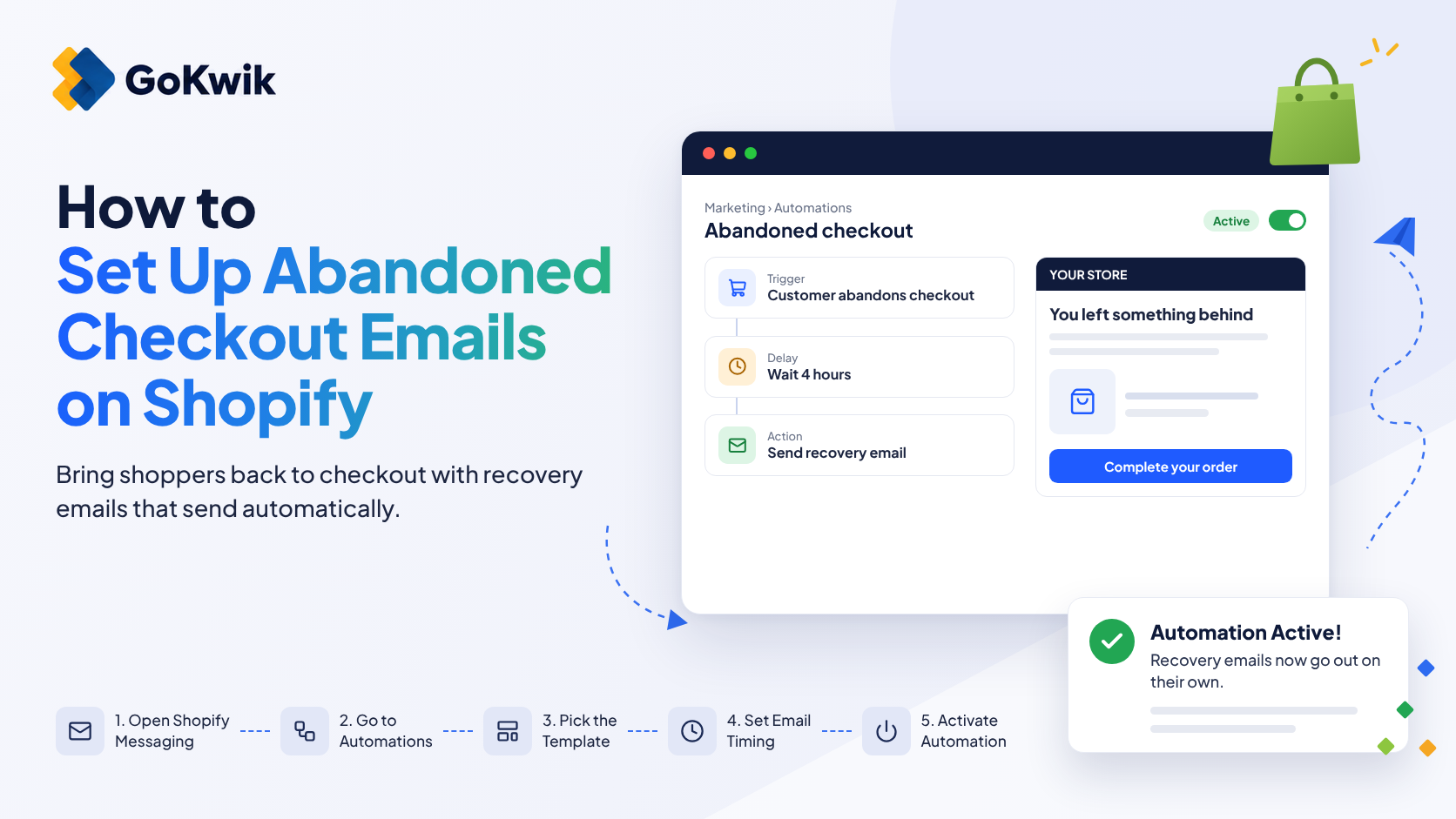
Check marketing opt-in status: Abandoned checkout automations only send to customers who have subscribed to marketing. Confirm customers opted in during account creation or previous purchases.
Review email timing: If your delay is too short, customers may still be shopping. If it's too long, interest fades. Test different timing intervals to find what works for your audience.
Confirm automation is active: In Shopify Messaging or Flow, double-check that your automation status shows as Active or Published.
Validate email deliverability: Check spam folders and confirm your sender domain is authenticated to improve inbox placement.
[SHOPIFY INSIGHT]
What merchants on the Shopify Community actually say about this:
"In this setup, recovery emails are managed through automated workflows in the Marketing > Automations section, and the manual “Send a cart recovery email” button is no longer available. To ensure recovery emails are sent to all customers, follow these steps: 1- Access Marketing Automations : In your Shopify admin, go to Marketing > Automations . 2- Create or Edit Abandoned Checkout Automation : To create a new automation: Click Create automation > Select the Abandoned checkout template. To edit an existing automation: Click on the existing Abandoned checkout automation > Click Edit workflow ."
Source: Shopify Community (DaisyVo)